
Virtual Staging for Real Estate Agents: Complete Guide
Complete guide for real estate agents on AI Virtual Staging: when to use it, cost vs traditional staging, how to prepare photos and styles, what to avoid, and how to sell and rent faster with better online listings.
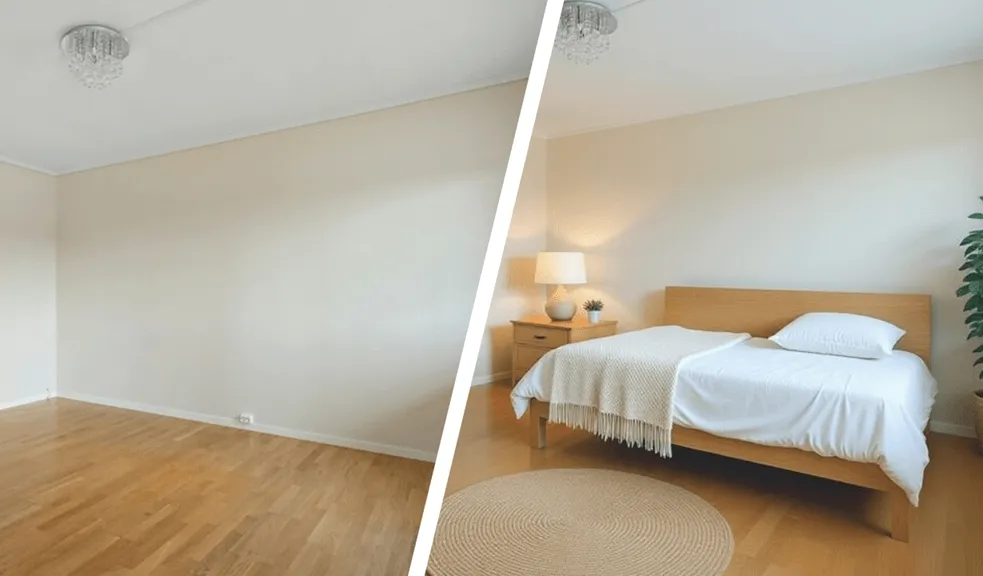
Table of Contents
- Introduction
- What is virtual staging?
- Why virtual staging works
- How does virtual staging AI work
- When to use virtual staging
- Photography for virtual staging
- Which rooms to style
- Choosing the right style
- Transparency and communication
- How to choose a virtual staging platform
- Summary
Introduction
Why empty rooms don't sell properties
Imagine scrolling through property listings on a classifieds website. An empty living room without furniture. A white wall. A bare window. You click next. This isn't about your imagination – it's human nature. Our brain needs context, scale, emotional connection with space. An empty room is just a collection of walls and floor. A styled interior is a future home.
According to the National Association of Realtors 2025 report, 81% of agents representing buyers confirm that home staging helps clients visualize the property as their future home.
Digital revolution in real estate
2025 brought definitive confirmation of what real estate agents have intuitively known for years: 100% of buyers start their property search online. Not 90%. Not 95%. Everyone.
Even more telling are the data on the importance of visualization: 73% of agents representing buyers consider photos to be the most essential element when browsing property portals. Buyers spend 60% of their time viewing photos and only 20% reading text descriptions.
The first impression forms within 20 seconds. In this short window, potential buyers decide whether to click "Schedule viewing" or scroll further. Empty rooms lose this battle 90% of the time.
How virtual staging changes the game
Traditional staging has always been the answer to the visualization problem. The problem? Cost and time. The average cost of professional home staging increased from $400 in 2019 to $1,700 in 2025. For an agent with a portfolio of 10 active listings, that's $16,700 monthly – an unrealistic amount for most.
Virtual staging changed everything. The same visual power. Cost: $0.26-$10 per photo instead of $1,700 per property. Turnaround time: 15 seconds instead of weeks. Flexibility: unlimited – you can show the same living room in Scandinavian, minimalist, and industrial styles, adapting to the preferences of different buyer groups.
The data is unambiguous: according to Redfin's 2025 analysis, properties with digital staging sell 73% faster than empty properties in the same location. For agents, this means fewer days on the market, lower maintenance costs for clients, and faster transaction closures.
What is virtual staging?
Definition and technology basics
Virtual staging is the process of digitally adding furniture, decor, lighting, and finishes to photos of empty or outdated properties using AI. Instead of renting furniture, hiring a moving crew, and physically arranging the space, the entire process takes place in digital space.
The process looks like this:
- Professional photography of the empty room
- Upload the photo to the platform
- Choose the style and room type (living room, bedroom, kitchen)
- Generation by AI
- Download finished, high-quality images ready for publication
Unlike simple furniture addition in Photoshop, modern AI platforms – especially those with advanced architectural awareness like RoomStaging – analyze room geometry, recognize doors, windows, light sources, and intelligently place furniture with respect for natural traffic flow and space functionality.
Virtual vs traditional staging: honest analysis
Here's a comparison table based on industry data:
| Aspect | Traditional Staging | Virtual Staging AI |
|---|---|---|
| Cost | $1,700-$4,500/month | $0.26-$10/photo |
| Turnaround time | 5-14 days | 15 seconds - 48 hours |
| Style flexibility | Limited to available furniture | Unlimited |
| Changes and revisions | Costly, requires physical work | Instant, no additional costs |
| Online effectiveness | Requires photography after staging | Directly ready for publication |
| Physical experience | Buyers see styled interior | Buyers see empty room |
| Savings | - | up to 97% |
When traditional staging wins:
- Luxury properties above $1,000,000
- Situations where physical experience is key (unique views, premium materials)
When virtual staging is better:
- 90% of the housing market
- Empty apartments after move-out
- Portfolio with many active listings
- Fast time-to-market (listing in 24-48h)
- Testing different arrangements for the same space
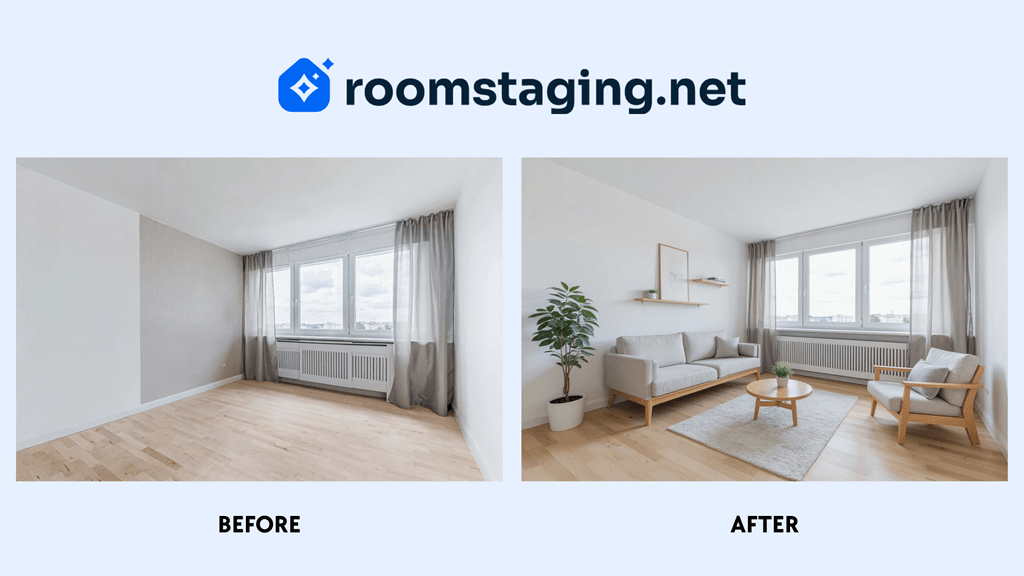 Virtual staging example
Why virtual staging works
Psychology of first impression
The human brain processes images 60,000 times faster than text. When a potential buyer opens a property listing, their limbic system – responsible for emotions and decision-making – immediately evaluates the space. Questions the brain subconsciously asks:
- Does this look like a home or a construction site?
- Can I see myself here?
- What are the proportions? Will my sofa fit?
- How much natural light?
An empty room doesn't answer any of these questions. Moreover, empty spaces visually shrink – the same living room looks 20-30% smaller without furniture than with it.
A styled space, however:
- Shows scale (you see that a sofa, table, TV cabinet will fit)
- Defines function (it's not a "15m² room", it's a "cozy living room with dining area")
- Creates emotion (you imagine an evening with a book on that sofa)
- Suggests lifestyle (young family? professional? senior couple?)
Sales statistics that convince
Numbers don't lie. Here are the most convincing statistics from 2025:
Impact on sales speed:
- 49% of agents representing sellers observe reduced time to sale thanks to staging
- Properties with staging sell 73% faster than empty ones
- Average time on market: 24 days with staging vs 90 days without
Impact on price:
- 29% of agents report an increase in offered price of 1-10%
- Top agents estimate potential increase of up to 13% with professional staging
Impact on online engagement:
- Listings with staging receive 61% more views
- 40% of buyers are more likely to schedule a viewing of a property they've seen styled online
- Buyers spend 60% of time viewing photos vs 20% reading descriptions
Buyer perception:
- 82% of agents say staging makes it easier for clients to visualize the property as their future home
Virtual staging ROI
Let's take a specific example – a property worth $200,000:
Scenario 1: Traditional staging
- Staging cost: $1,700/month
- Time on market: 60 days (2 months)
- Total staging cost: $3,400
- Price increase of 2%: +$4,000
- Net: +$600 profit
Scenario 2: Virtual staging
- Staging cost: $10 (20 photos × $0.50)
- Time on market: 25 days (73% faster)
- Price increase of 2%: +$4,000
- Net: +$3,990 profit
Even with conservative assumptions of 1% price increase and without accounting for time savings, virtual staging delivers ROI exceeding 10,000%.
How does virtual staging AI work
Step 1: Photo preparation (You)
- Professional photography or high-quality smartphone
- Minimum resolution 2000px on the longer side
- JPG or PNG format
- Clean, well-lit room
Step 2: Upload photo (15 seconds)
- Log in to RoomStaging
- Upload photos
- System automatically recognizes basic parameters
Step 3: Configuration (30 seconds)
- Choose room type: Living Room / Bedroom / Kitchen / Dining Room / Office
- Choose style: Modern / Scandinavian / Industrial / Classic / Coastal
- (Optional) Add preferences: "bright colors", "family furniture", "minimalism"
Step 4: Generation (15-30 seconds) AI performs:
- Room geometry analysis
- Identification of architectural elements
- Selection of appropriate furniture from library
- Placement with respect for functionality
- Rendering with photorealistic lighting
Step 5: Download (10 seconds)
- Preview result
- If unsatisfactory – regenerate with different parameters
- Download image in full resolution
- Ready for publication on listing portals
Total time: ~70 seconds from photo upload to publication.
For comparison: traditional staging from decision to photos ready for publication takes 7-14 days.
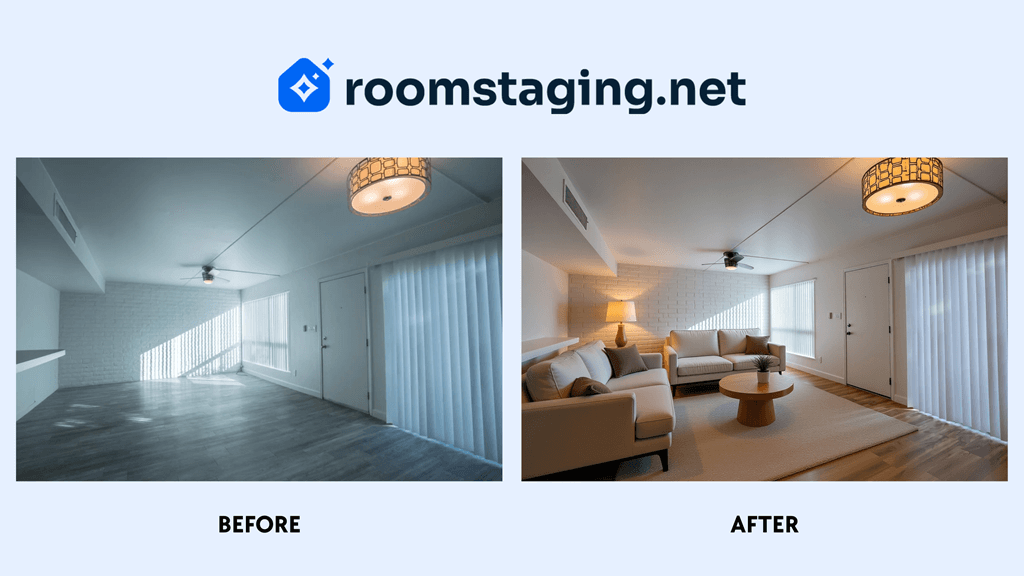 Virtual staging example
When to use virtual staging
Virtual staging isn't a universal solution for every situation, but there are scenarios where it performs exceptionally:
1. Empty apartments after owners move out This is the most common and obvious case. The owner has already moved to a new place, the apartment is empty. Options:
- Traditional staging: $1,700+ monthly
- Sale without staging: average 90 days on market, fewer views
- Virtual staging: $19, 24h to publication
2. Mid-segment: $100,000 - $800,000 This is the sweet spot for virtual staging. Buyers in this segment:
- Start searches online (100%)
- Are price-sensitive (every dollar counts)
- Need help visualizing potential
- Don't expect ultra-luxury experience
3. Developer apartments before completion Developers have a problem: how to sell an apartment that doesn't exist yet? Virtual staging allows:
- Showing each apartment in the development individually
- Different arrangements for different sizes
- Faster sales during construction phase
4. Properties requiring renovation
Removal of old furniture + addition of modern arrangement + visualization after renovation = potential buyer sees how it can look after renovation.
Photography for virtual staging
Real estate photography basics
Virtual staging is only as good as the source photos. Even the best AI in the world won't save a poor photo.
Good news: in 2025 you don't need a professional photographer for every property. High-end smartphone + basic knowledge = photos good enough for virtual staging.
Photos can be taken with:
- Professional real estate photographer (ideal)
- High-end smartphone (iPhone 13+, Samsung S21+, Google Pixel 6+)
- DSLR/mirrorless camera (if you know how)
Technical parameters for best results
Resolution and quality:
- Minimum: 2000px on the longer side
- Format: JPG or PNG
- Compression: Minimum, highest quality
Why high resolution? The more data, the more information for AI about textures, lighting, perspective. Result: better furniture matching, more realistic shadows.
Lens:
- Wide angle is mandatory
- Smartphone: wide-angle mode (0.5x on iPhone)
Why wide angle? Shows entire room, gives sense of space.
NOTE: Avoid "fisheye" – ultra wide angle creates distortion that makes it difficult for AI to properly place furniture.
Camera height:
- Standard: 140-160 cm (eye level)
- NO: Near ceiling (looks like drone photo)
- NO: Near floor (weird perspective)
Photos at eye level are most natural for human perception.
Position in room:
- Best: Corner of room
- Why: Maximum visibility, showing proportions
- Avoid: Center of room (less context)
Tripod:
- Definitely YES if you have one
- Stabilization = sharpness
- Consistency between photos
Lighting
Best time of day:
- 10:00 - 15:00 (maximum natural light)
- Avoid: Sunset/sunrise (too dramatic shadows)
Preparation:
- Open all blinds, shutters, curtains
- Turn on all lights in the room (yes, even during daytime)
- Why: Leveling lighting, eliminating dark corners
HDR (High Dynamic Range): If your camera/smartphone has HDR mode – use it. HDR takes 3-5 photos with different exposures and merges them, showing:
- Details in dark corners
- View through windows (not blown out white)
- Wall and floor textures
White balance:
- Auto White Balance usually works well
- If room looks too yellow/blue – correct in editing
Most common mistakes and how to avoid them
MISTAKE #1: Standing where furniture will be
Sounds funny, but it's the most common mistake. You're photographing a living room. You're standing where the sofa will be.
SOLUTION: Always stand in a corner or by a wall, never in the center of the room.
MISTAKE #2: Clutter and personal items
Photos must be of an empty or clean room. If on the floor there are:
- Boxes
- Children's toys
- Personal photos on walls
- Dirty dishes
AI will have problems correctly recognizing the space.
SOLUTION:
- If empty – good
- If with furniture – first use Furniture Removal, then Virtual Staging
MISTAKE #3: Dark rooms
"It's on the north side, there's no sun" – is not an excuse. Dark photo = poor virtual staging.
SOLUTION:
- Turn on every lamp in the apartment
- Open doors to adjacent, brighter rooms
- Use HDR mode
MISTAKE #4: Crooked horizon
Walls "fall" to one side. Effect: room looks like from a horror movie.
SOLUTION:
- Most smartphones have "grid" with horizon line – enable it
- Tripod with level
MISTAKE #5: Poor framing
Too much ceiling (30% of photo), too little floor. Or vice versa.
SOLUTION: Rule of thirds:
- Bottom 1/3 of photo: floor
- Middle 1/3: main part of room, furniture
- Top 1/3: upper walls, ceiling fragment
MISTAKE #6: View through windows
You're photographing living room. Through window you can see trash, construction, ugly view.
SOLUTION:
- If view is nice – leave it, it's an asset
- If view is ugly - slightly cover with sheer curtain (still showing light)
Checklist before photo shoot
24h before:
- Schedule optimal time (10:00-15:00)
- Notify owner to clean
1h before:
- Turn on all lights
- Remove personal items
- Close toilet seats (yes, it's important)
- Remove trash bins from frame
During shoot:
- Check each photo after taking (zoom 100%)
- Take 2-3 versions of the same frame
- Take "safety shot" – wider frame than needed
Shoot time: 60m² apartment = 30-45 minutes for 15-20 high-quality photos.
Which rooms to style
Room importance hierarchy
Not all rooms are equal in the buyer's eyes. NAR data from 2025 shows clear hierarchy:
Always style:
1. Living Room
- Reason: Center of family life, first impression
- What buyer wants to see: Scale, layout, where TV will go
- ROI: Highest – most viewed photo in listing
2. Master Bedroom
- Reason: Personal space, imagination of "my sanctuary"
- What buyer wants to see: Will large bed, closet, dresser fit
- Mistake to avoid: Too small bed (show double/queen/king size)
Recommended:
3. Dining Room
- Reason: Family gathering place
- What to show: Table for 4-6 people, expansion possibility
- Tip: If living+dining – style as one space
4. Kitchen
- Reason: Third most important room for buyers
- What to show: Functionality, workspace
- Tip: Add kitchen decorations, not entire kitchen
Optional:
5. Second Room/Office
- When: Apartments with 3+ rooms
- Arrangement options: Children's room or home office
6. Bathroom
- Controversial: Virtual staging of bathrooms sometimes looks artificial
- Alternative: Professional photo + light correction
- Exception: Large spa-style bathroom in luxury property
Choosing the right style
Choosing virtual staging style isn't about "what I like" but "what my target client will like". Wrong style can hurt – luxury home staging in economy segment looks fake, while too modest in premium segment lowers value.
Most popular 2025 styles and their applications
1. MODERN / MINIMALIST
Characteristics:
- Clean lines, minimum decoration
- Neutral colors (white, grays, beiges)
- Functionality > ornamentation
- Open space
Target buyer:
- Young professionals 25-40 years
- Singles or young couples without children
- High-income people living in city centers
Furniture:
- Minimalist sofa (solid color)
- Glass/metal coffee table
- Single artwork
- Plants in simple pots
2. SCANDINAVIAN (most universal)
Characteristics:
- Brightness, space, natural materials
- Palette: white, grays, pastels, wood
- Coziness
Target buyer:
- Families with small children
- Couples 30-45 years planning children
- People looking for "home comfort"
Furniture:
- Light, comfortable sofa
- Wooden coffee table
- Textiles (cushions, throw)
- Plants, books, light
Statistics: Scandinavian style is most frequently chosen for family apartments.
3. INDUSTRIAL
Characteristics:
- Raw materials (brick, concrete, metal)
- High ceilings (if present)
- Exposed elements (installations, beams)
- Vintage + modern
Target buyer:
- Singles 25-35 years
- Young couples, urban lifestyle
- Creative professionals
Furniture:
- Leather sofa or industrial-style couch
- Metal coffee table
- Vintage elements
- Edison bulbs, urban art
NOTE: Don't use industrial style for standard 60m² apartment in block building – will look fake.
4. CLASSIC
Characteristics:
- Traditional forms, symmetry
- Warm colors (beiges, browns, burgundy)
- Elegance, comfort
- Quality over fashion
Target buyer:
- Buyers 45-65 years
- Higher segment
- Professionals (doctors, lawyers)
- People looking for "timeless quality"
Furniture:
- Classic sofa (Chesterfield style)
- Wooden furniture (dark wood)
- Elegant lighting (chandeliers, classic lamps)
- Art, books (traditional decor)
Practical tip: If you're not sure which style – choose Scandinavian. It's the safest, most universal choice.
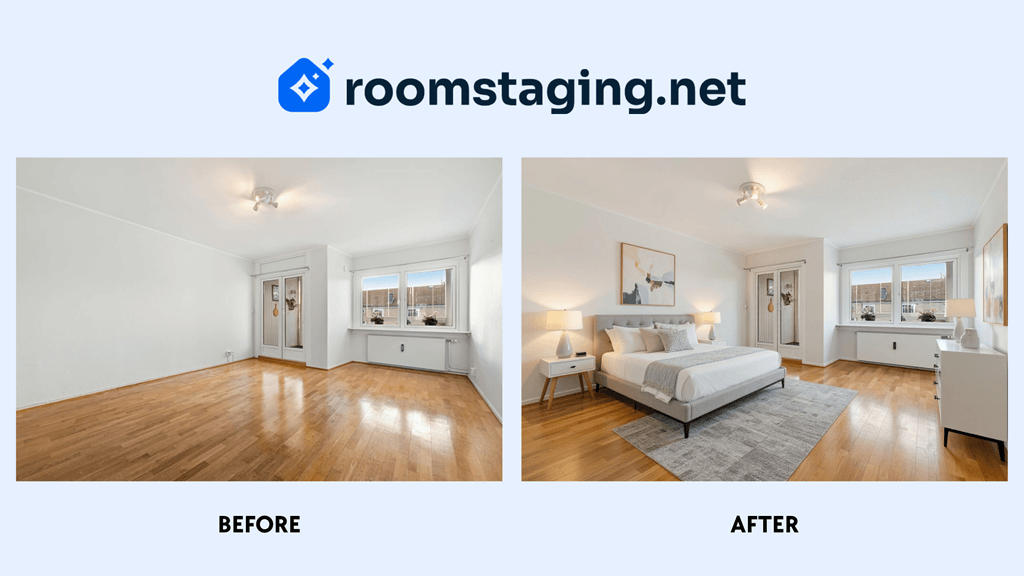 Virtual staging example
Transparency and communication
The National Association of Realtors has a clear position on this: real estate agents must be honest and truthful in their property communications and present a true picture in advertising, marketing, and other representations.
Specifically for virtual staging this means:
REQUIRED:
- Clear marking of each virtually staged photo
- Not hiding the fact of using virtual staging
- Clear communication with potential buyers
FORBIDDEN:
- Marking virtual staging images as real photos
- Misleading about actual property condition
- Hiding significant defects behind virtual staging
RECOMMENDED:
- Showing "before" and "after" photos in gallery
- Communication from first client contact
- Transparency as trust-building element
Agents should be transparent if they digitally enhanced their photos. Building relationships in real estate is based on trust – honesty about virtually staged photos creates sense that you're not trying to hide anything from potential buyers.
Compliance with MLS and listing portals
MLS (Multiple Listing Service) in USA: Virtual staging is allowed provided it's clearly marked.
Interpretation: Virtual staging is permitted, provided it's clearly marked.
Best practices:
1. Text markers in description:
"Presented photos contain virtual staging,
showing the property's arrangement potential.
Actual rooms are empty/require refreshing."
2. Watermark on photos: Subtle, non-obtrusive watermark in photo corner:
- "Virtual staging"
- "Virtual arrangement"
- "Visualization"
3. Photo order:
- Option A: First photo real, rest virtual (maximum transparency)
- Option B: First virtual (marketing), next real (truth)
- Recommended: Option B – first impression matters, but truth available
How to communicate virtual staging to clients
Scenario 1: First meeting with seller
You (agent):
"Mr. Smith, to maximize interest in your apartment, I propose using virtual staging – modern technology that allows showing the space's full potential to prospective buyers.
How does it work? I take professional photos of empty rooms, then specialized AI software adds furniture and decorations, creating photorealistic visualization.
Benefits:
- 73% faster sale according to US data
- 61% more listing views online
- All photos will be clearly marked as 'virtual staging'
It's ethical, legal, and works. What do you think?"
Scenario 2: Phone call from interested buyer
Buyer: "I saw your listing online, I'd like to schedule a viewing."
You (agent):
"Great! Before we schedule, I want to explain that photos in the listing contain virtual staging – digitally added furniture, showing one arrangement possibility.
During viewing you'll see empty rooms, but with identical proportions, lighting, and layout as in photos. This allows seeing the space's potential.
Is that okay with you? I can also send before-staging photos if you want to see actual condition."
Scenario 3: During viewing
Prepare tablet with styled photos. When standing in empty living room:
"This is the living room you saw in photos. Let me show" [showing photo on tablet] "how it can be arranged. Of course this is one of many possibilities – you can furnish it completely according to your taste.
What do you think of the space? Can you already see what your life here might look like?"
Scenario 4: Client feels "deceived"
Rare, but happens. Buyer comes to viewing and is disappointed:
"Photos showed it furnished!"
You (agent, calmly):
"I understand the disappointment. In the listing description and during scheduling call I mentioned that photos contain virtual staging – visualization of potential, not actual condition.
It's industry standard used by agents worldwide. Allows seeing how space can look, without need to invest thousands of dollars in physical staging.
What do you think of the apartment itself? Rooms, layout, location – these are all real and what you're buying, not furniture from photos."
90%+ of people accept this if communication was clear from the beginning.
REMEMBER: Transparency ≠ apologizing. Don't say "it's just virtual staging, sorry". Say "it's virtual staging, showing potential and helping visualization – modern tool of professional agents".
How to choose a virtual staging platform
Selection criteria: what to look for
1. QUALITY AND REALISM
This is most important. Poorly executed home staging is worse than no staging.
How to test:
- Ask for free samples (most platforms offer 1-2 free photos)
- Zoom 200% – do you see:
- Room geometry considered
- Realistic shadows under furniture
- Correct reflections in windows/mirrors
- Consistent lighting
- Natural fabric textures
- Watch out: Furniture looks "pasted", shadows in wrong direction, unrealistic colors
2. TURNAROUND TIME
Available options:
- Express - 4-8 hours
- Standard - 24-48 hours
- AI instant - seconds-minutes
Question: "What is actual turnaround time for 15 photos?"
3. PRICE AND BUSINESS MODEL
Model A: Pay-per-photo
- Pay for each photo separately
- Advantage: Flexibility, pay for what you use
- Disadvantage: Can be expensive
Model B: Subscription (monthly/annual)
- Fixed fee, set number of photos/month
- Advantage: Predictable costs, lower cost per image with more photos
- Disadvantage: Commitment, may overpay if little use
Model C: Credits/Points
- Buy credits, each photo "costs" X credits
- Advantage: Flexibility + volume discount
- Disadvantage: Complexity, credits may expire
4. ADDITIONAL SERVICES
Must-have for agents:
- Virtual Staging
- Furniture removal
- Basic editing (HDR correction, brightness)
Nice-to-have:
- Virtual interior renovation (showing potential after renovation)
- Sky color correction (gray sky > blue)
- Floor/wall color change
- Cleaning (removing clutter)
Question: "Can I combine services? (e.g. furniture removal + virtual staging in one step)"
5. USAGE RIGHTS AND OWNERSHIP
Critical questions:
- Do I receive full commercial rights to photos?
- Are photos without watermark?
- Can I use photos in printed materials (flyers, billboards)?
- Do photos remain my property after transaction closes?
- Can I continue using photos for portfolio/agency marketing?
Summary
Key takeaways
After analyzing hundreds of studies and industry reports, conclusions are clear:
1. Virtual staging is not the future – it's the present
100% of buyers start searches online. 73% consider photos the most essential element. First impression forms in 20 seconds. Virtual staging wins this battle.
2. ROI is undeniable
- 97% savings vs traditional staging
- 73% faster sale
- 61% more views
- 1-10% price increase
Even with conservative assumptions, ROI exceeds 10,000%.
3. Photo quality = foundation
Best AI in the world won't save poor photos. Investment in professional photographer or own skills + good equipment (smartphone + tripod) pays back many times in better home staging and faster sales.
4. Transparency = trust = sales
81% of agents confirm home staging helps visualization. Key is honest communication:
- Clear markings
- Transparent information for buyers
- Also showing real photos
Transparency does NOT reduce effectiveness – on contrary, builds trust.
First step: where to start
Today (30 minutes):
- Register on RoomStaging
- Upload test photo to try
- Purchase minimum plan ($19)
- Experiment with different styles
- Choose one test apartment
- Best: empty, mid-segment, current listing
- Goal: A/B test virtual staging vs no staging
This week (2-3 hours):
- Professional photo shoot of chosen apartment
- Hire photographer or do yourself according to guidelines in this article
- Generate virtual staging
- 10-15 photos
- Different styles for main rooms
- Quality control at 200% zoom
- Publish with transparent markings
- Listing portals
- Facebook/Instagram
- Email to client database
- Track metrics
- Views (compare with previous listings)
- Inquiries (number of calls/contact forms)
- Scheduled viewings
This month (4-6 hours total):
- Analyze first A/B test results
- Compare views, inquiries
- Calculate ROI
- Decision point: continue, scale?
- Implement as standard for all new listings
- Minimum: living room + master bedroom
- Standard: all main rooms
- Educate clients (sellers)
- Prepare 1-page virtual staging explanation
- Show first case result
- Value proposition: faster sale, higher price, low cost
This quarter:
- Optimize process
- Which style works best in your location?
- Which rooms generate most engagement?
- Feedback from buyers – what helps, what hinders?
- Measure and report
- Average transaction closing price
- Client satisfaction results
- Return on investment per listing
- Scale
- If it works (and it will) – apply to all listings
- Consider upgrading plan if volume grows
- Educate team (if agency) in best practices
FINAL WORD
In 2015, virtual staging was technological curiosity. In 2020, it became useful tool for early adopters. In 2025, it's competitive necessity.
Question isn't "should I use virtual home staging", but "can I afford NOT to use it?"
Your competition is already using it. Your future listings are waiting.