
RoomGPT vs RoomStaging: which should you choose?
Looking for a RoomGPT alternative? Create realistic property photos in 15-30 seconds. Furnish empty rooms, redesign interiors and exteriors, remove furniture or enhance photos – all in one platform.
- No credit card required
- 3 free credits
- 1 credit = 1 generated image
Same photo, two AI tools: see the difference
See how both tools redesign the same photo. Compare furniture, lighting, textures and how well each preserves the original space.
Example 1 – A new style for a furnished bedroom
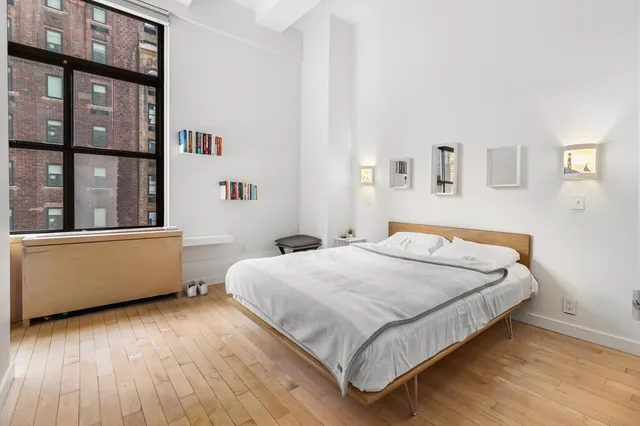
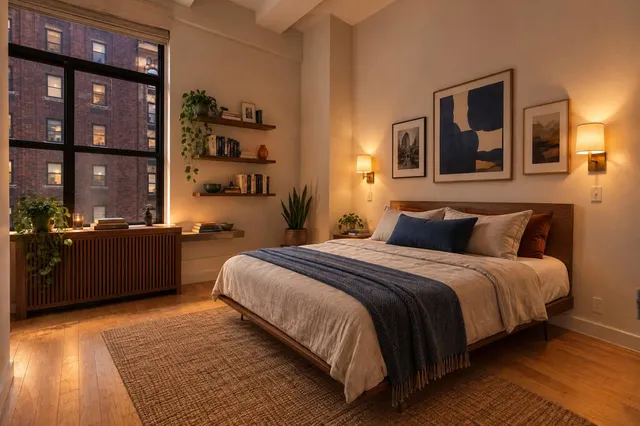
RoomStaging · 19 sec · 1 credit ($0.19)
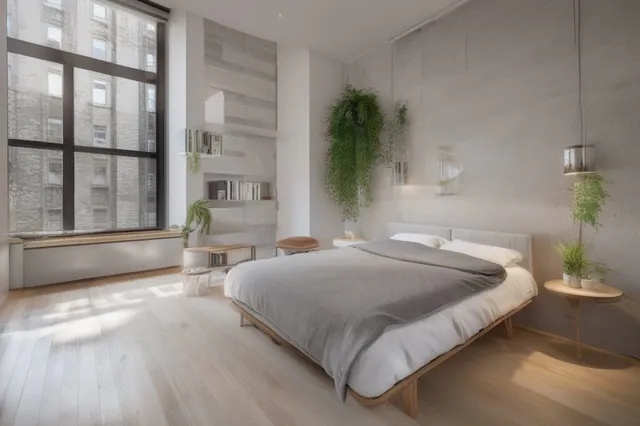
RoomGPT · 21 sec · 1 credit ($0.30), basic model
Example 2 – An empty living room furnished in a modern style
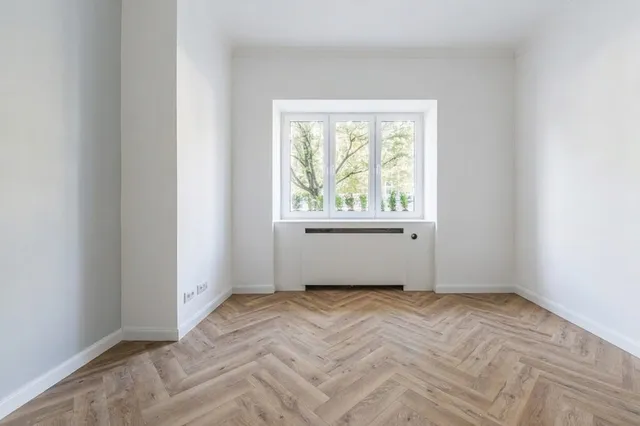
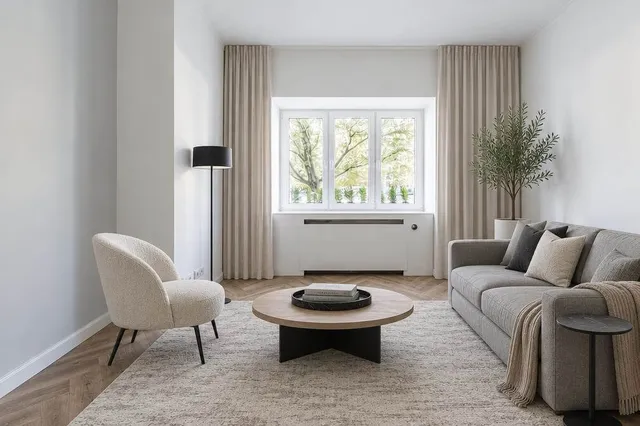
RoomStaging · 22 sec · 1 credit ($0.19)
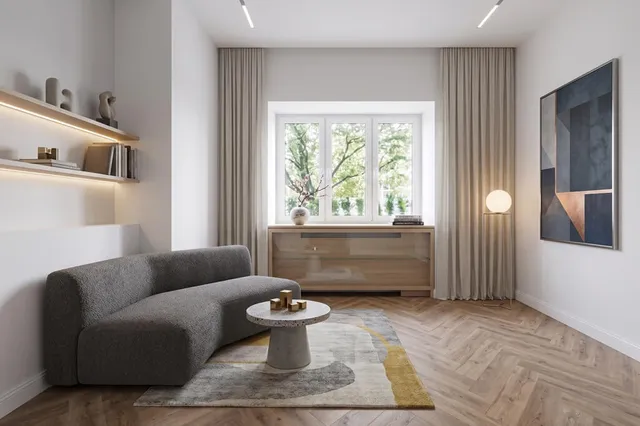
RoomGPT · 25 sec · 2 credits ($0.60), pro model
Example 3 – A fresh Coastal design for an outdated living room
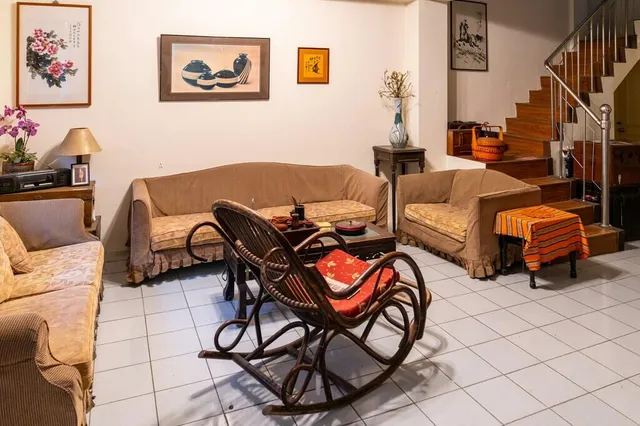
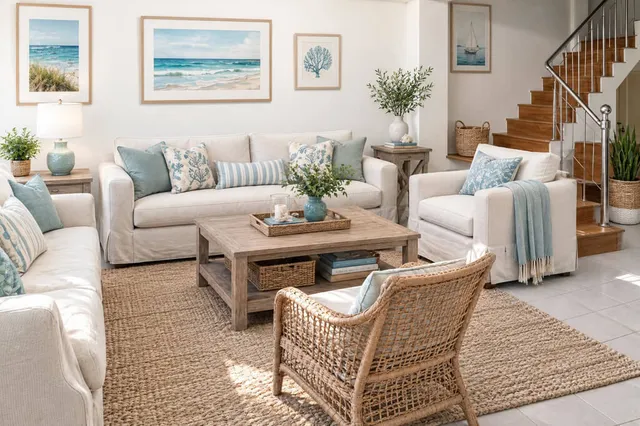
RoomStaging · 17 sec · 1 credit ($0.19)
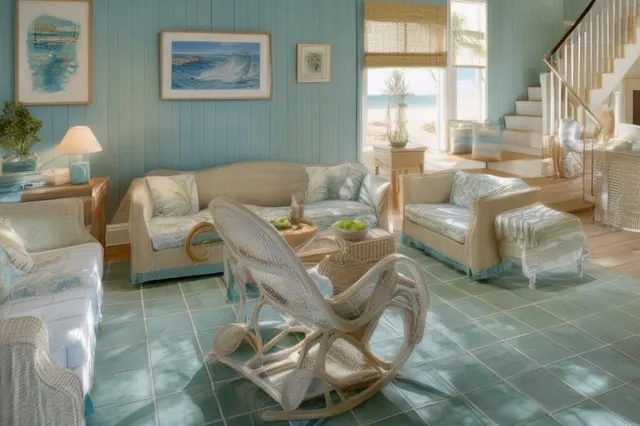
RoomGPT · 18 sec · 1 credit ($0.30), basic model
Strengths and limits of each tool
RoomStaging
- Keeps walls, windows, doors and proportions intact
- Photorealistic results in 15-30 seconds
- 50+ room types and design styles
- Edit selected items without starting over
- Virtual staging, interior and exterior design tools
- Photo editing and 2K/4K upscaling tools on eligible plans
- Premium AI for 1 credit per image on every plan
- Designs saved in your projects
- Basic: 100 monthly credits for $19
- 3 free credits, no credit card required
- Unused monthly credits expire
- Subscription required, no one-time credit packs
RoomGPT
- Simple interior redesign tool
- Results in 15-40 seconds
- One-time credit packs, no subscription
- Purchased credits don't expire
- 1 free credit, no credit card required
- Less realistic results, and the room's structure may change
- Only 9 room types and 9 styles
- No editing of selected items
- No virtual staging or exterior design tools
- No photo editing or 2K/4K upscaling tools
- Better AI models use 2 or 4 credits per image
- No storage: unsaved designs are lost
Verdict
RoomGPT is fine for a quick, low-cost restyle of your own room, especially if you prefer one-time credit packs to a subscription. Choose RoomStaging when the result has to match the real space, for a listing, a renovation plan or a client presentation. It also covers what RoomGPT can't, from virtual staging and furniture removal to exterior design and photo editing. For $19, you get 100 images with premium AI, while RoomGPT's $9 pack covers 7 images with its best model.
RoomStaging vs RoomGPT: feature comparison
Compare the tools, design options and credit costs before choosing the right one for your photos.
| Feature | RoomStaging | RoomGPT |
|---|---|---|
| Free trialTest before you pay | 3 free credits | 1 free credit |
| PricingStarting price and how you pay | $19/month for 100 credits (or $12/month billed yearly) | $9 for 30 credits, no subscription |
| Cost per photoPrice per generated image | $0.19 on Basic, from $0.07 on larger annual plans | $0.30-$1.20, depending on the model |
| Generation timeHow fast your result is ready | 15-30 seconds | 15-40 seconds |
| Design stylesOptions for different spaces and looks | 50+ room types and styles | 9 room types and 9 styles |
| Preserves room structureKeeps the original walls, windows, and doors | Yes | No, often changed |
| Photorealistic qualityResults look natural and realistic | Yes | Less realistic |
| Virtual stagingFurnish empty rooms | Yes | No dedicated tool |
| Object removalClear furniture and clutter | Yes | No |
| Exterior designA new look for the house | Yes | No |
| Image enhancementImprove lighting, colors and clarity | Yes, on eligible plans | No |
| Image upscalingSharper images for downloads | Up to 4K on eligible plans | No |
| Edit specific itemsAdjust details without starting over | Yes | No |
| Image storageAccess your designs later | Saved in your projects | Not stored, download or lose them |
| Multilingual interfaceAvailable in your language | Yes | No |
Why Switch to RoomStaging
More than room redesign
Furnish empty rooms, remove outdated furniture, enhance photos or redesign interiors and exteriors. Choose the right tool for each photo and make the changes you need.
Results that look real
RoomStaging focuses on furniture scale, lighting and material details to create believable interiors. Explore different styles with results that feel like a finished room.
New furniture, same structure
RoomStaging analyzes your room before arranging furniture. It's designed to preserve walls, windows, doors and proportions, helping you explore a new look that still feels like your real space.
Edit individual details
Want a different sofa, color or decoration? Select the detail you want to change and refine your generated image, getting closer to your preferred design without starting from scratch.
Upscale to 2K or 4K
Upscale your favorite results for sharper listing images, portfolios and client presentations. Choose 2K or 4K on eligible plans, then download a higher-resolution version.
Start free, no card needed
Try RoomStaging with 3 free credits and no credit card required. Test virtual staging, redesign or photo enhancement on your own photos and compare the results before choosing a paid plan.
How to transform your property photos
Just three simple steps to turn any room or house photo into a beautiful, photorealistic design.
Upload your photo
Start with the room or house photo you want to transform.
Choose your preferences
Select your tool, room type and style. Add extra instructions only if you wish.
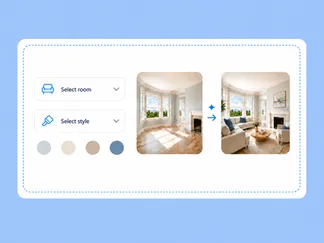
Generate and download
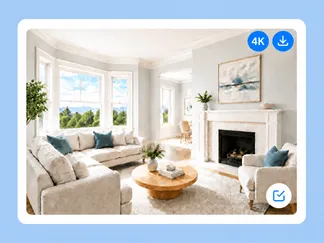
Get your high-resolution result in 15-30 seconds, then edit or download it.
One platform for your property photos
Room redesign is just one of our tools. Furnish, declutter, renovate or enhance your photos in one workflow.
Furnish empty rooms with realistic furniture and decor, creating inviting listing photos that help buyers imagine living there.
AI Interior DesignTry new styles, color palettes and decor to visualize the room's interior before buying or renovating.
AI Exterior DesignRefresh your house exterior with new facade materials, styles, lighting and seasons to explore its potential before starting renovations.
AI Image EnhancementPROImprove lighting, colors and clarity, replace skies, remove clutter and correct perspective.
AI Object RemovalClear unwanted furniture and clutter from your photos in seconds, leaving empty spaces ready for staging, redesign or property listings.
AI Interior RenovationGive outdated interiors a fresh look with different flooring, wall colors, materials and finishes.
Got questions?
Find answers to common questions about RoomGPT and RoomStaging.
Is RoomGPT free?
RoomGPT gives new users 1 free credit. That covers one generation with its 1 credit model. Models using 2 or 4 credits require a larger balance. After using your free credit, you can buy a credit pack. RoomStaging offers 3 free credits with no credit card required.
How much does RoomGPT cost?
RoomGPT starts at $9 for 30 credits, with no subscription. Each image uses 1, 2 or 4 credits depending on the AI model, so the $9 pack covers between 7 and 30 images.
Can RoomGPT virtually stage an empty room?
RoomGPT focuses on room redesign and has no dedicated virtual staging, furniture removal, photo enhancement or exterior design tools. RoomStaging includes all of these tools.
Will RoomGPT change walls, windows or room proportions?
RoomGPT may change architectural details while redesigning a room, including windows, doorways and proportions. RoomStaging analyzes the room's structure before designing, so walls, windows, doors and proportions remain unchanged. Compare the examples above to see the difference.
Does RoomGPT save my designs?
No. RoomGPT doesn't store your redesigned images, so you need to download them before leaving. RoomStaging saves every image in your projects, so you can edit or download them later.
What is the best RoomGPT alternative?
RoomStaging is a strong alternative if you want realistic property photos and more than basic room redesign. It combines virtual staging, interior design, exterior design, interior renovation, object removal, photo editing and many more tools.
Is RoomStaging cheaper than RoomGPT?
Yes. RoomStaging Basic gives you 100 generations for $19/month – that's $0.19 per generation. With RoomGPT's $9 pack, each generation costs $0.30–$1.20 depending on the AI model.
Which generates more realistic results: RoomGPT or RoomStaging?
In our tests, RoomStaging results looked more realistic and preserved the room structure better. Results vary by photo and style, so compare the examples above and then try the same photo in both tools.
Can I switch from RoomGPT to RoomStaging easily?
Yes. RoomGPT has no subscription, so there's nothing to cancel. Create a RoomStaging account, upload a photo of your room, choose a tool and style, and generate. Start with 3 free credits, no credit card required.
Ready to make the switch to RoomStaging?
Join 10,000+ homeowners, designers, agents and developers using RoomStaging.
Try RoomStaging for free- 3 free credits
- No credit card required
- Results in 15-30 seconds