
ReimagineHome AI vs RoomStaging: which AI tool to use?
Looking for a ReimagineHome AI alternative? Turn empty, furnished or outdated rooms into photorealistic images in 15–30 seconds. Choose your room type and style, and let our AI handle the rest. No prompt writing required.
- No credit card required
- 3 free credits
- 1 credit = 1 generated image
Same photo, two tools: see the difference
See how both tools transform the same photo. Compare furniture, lighting, textures and how well each preserves the original space.
Example 1 – Empty living room to a furnished home
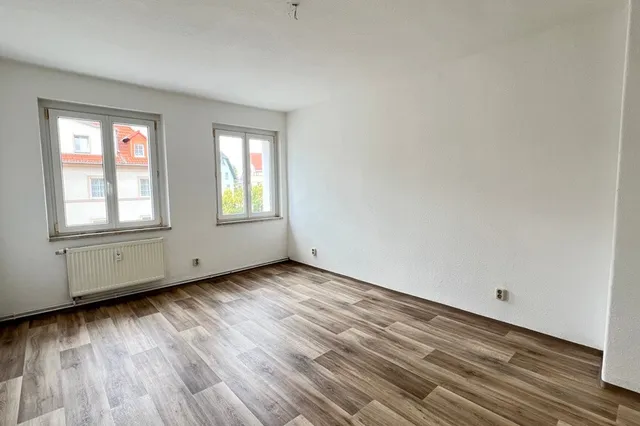
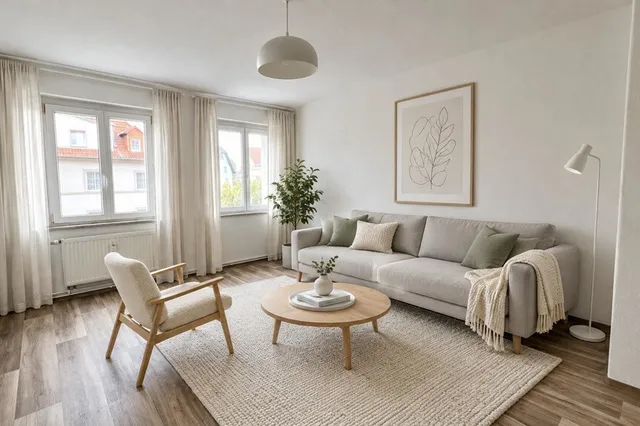
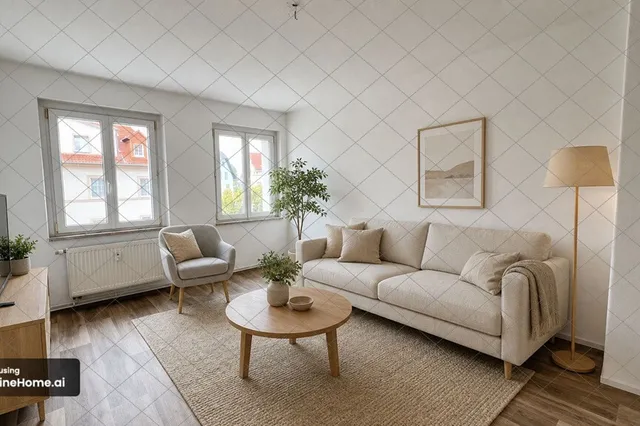
Example 2 – A fresh look for a furnished bedroom
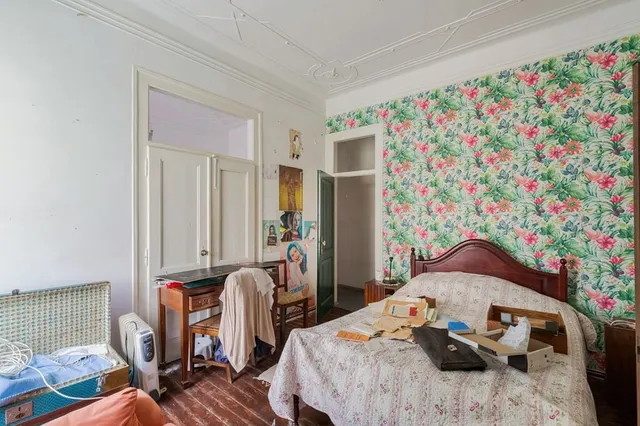
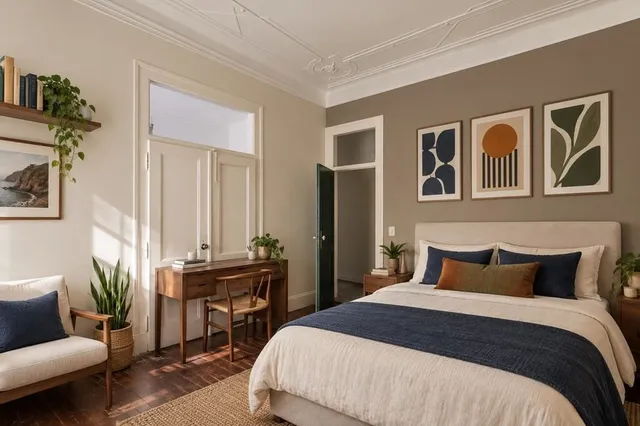
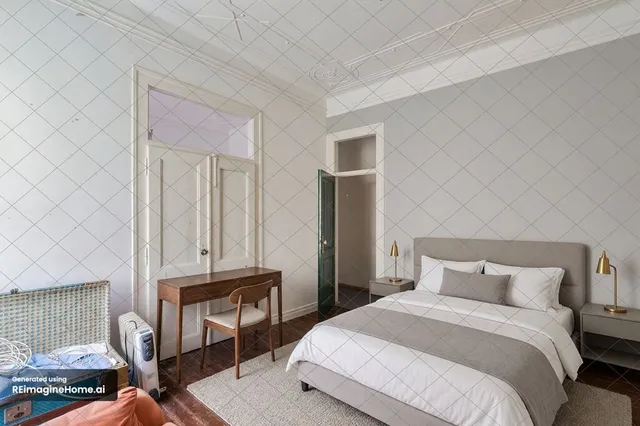
Example 3 – A new design for the same house


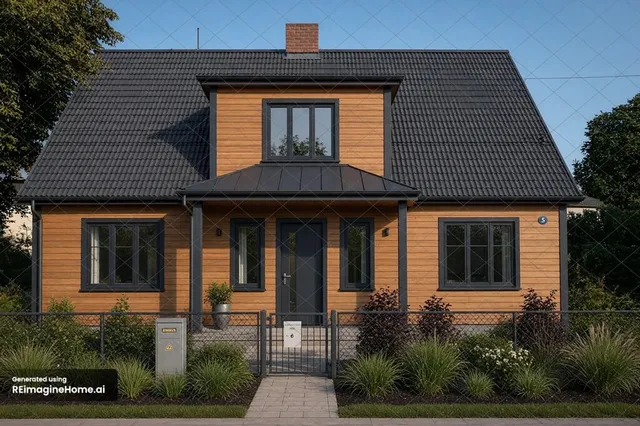
Strengths and limits of each tool
RoomStaging
- Simple: upload, choose a style and generate
- Keeps walls, windows, doors and proportions intact
- 50+ room types and design styles
- Edit selected items without starting over
- Photorealistic results in 15–30 seconds
- 2K and 4K upscaling on eligible plans
- Basic: 100 monthly credits for $19
- 3 free credits, no credit card required
- Unused monthly credits expire
- No shoppable real furniture
ReimagineHome AI
- Chat assistant for step-by-step design
- Visualize real, shoppable furniture
- Results in 21–40 seconds
- 5 free credits, no credit card required
- Changes are described in words, through chat
- Chat, item editing and batch upload start on the Pro plan
- Essential: 30 monthly credits for $19
- Product discovery plus visualization uses 2 credits
Verdict
ReimagineHome AI is a good fit if you enjoy designing through chat or want to buy the furniture you see. RoomStaging is the better choice when you need realistic property photos fast and without prompts, for a listing, a renovation plan or a client presentation. For the same $19, you get 100 credits instead of 30.
RoomStaging vs ReimagineHome AI: feature comparison
Based on our own tests on the same photos and from publicly listed plans, September 2026.
| Feature | RoomStaging | ReimagineHome AI |
|---|---|---|
| Free trialTest before you pay | 3 free credits | 5 free credits |
| PriceStarting monthly cost | $19 / 100 credits (or $12/month billed yearly) | $19 / 30 credits |
| Lowest cost per photoOn larger plans | $0.07 – Professional+, billed yearly | $0.13 – Agency, billed monthly |
| Generation timeHow fast your result is ready | 15–30 seconds | 21–40 seconds |
| Beginner-friendlyNo prompt-writing experience needed | Yes | Chat-based |
| Design stylesMultiple home styles to choose from | 50+ styles | Described in chat |
| Preserves room structureKeeps the original walls, windows, and doors | Yes, on every plan | Pro plan and above |
| Edit specific itemsAdjust details without starting over | Yes, on every plan | Pro plan and above |
| Photorealistic qualityResults look natural and realistic | Yes | Yes |
| Image upscalingSharper images for downloads | Up to 4K on eligible plans | Upscaling available |
| Multilingual interfaceAvailable in your language | Yes | No |
Why Switch to RoomStaging
More credits included
Start with 100 monthly credits – even on the Basic plan. Each image generation uses just one credit, giving you more opportunities to furnish, redesign and find the right look.
Design without writing prompts
RoomStaging lets you upload a photo, choose a room type and style, and generate in 15–30 seconds. There's no chat, no prompt guide and no guessing of the right words.
New furniture, same structure
RoomStaging analyzes the room's layout and structural features before arranging furniture. It's designed to preserve walls, windows, doors and proportions, allowing you to visualize the new look of your real space.
Edit the details, not the whole image
Change a furniture piece, adjust a color or refine the decor in your generated image. Edit specific details to get closer to the look you want without starting your design again.
4K upscaling built in
Upscale your favorite results to 2K or 4K for sharper listing images, portfolios and client presentations.
Start free, no card needed
Try RoomStaging on your own photos with 3 free credits and no credit card required. Compare the results side by side, and see how the workflow fits before choosing a paid plan.
How to transform your property photos
Just three simple steps to turn any room or house photo into a beautiful, photorealistic design.
Start with the room or house you want to transform.
Select your tool, room type and style. Add extra instructions only if you wish.
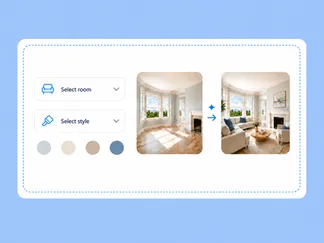
Get your high-resolution result in 15–30 seconds.
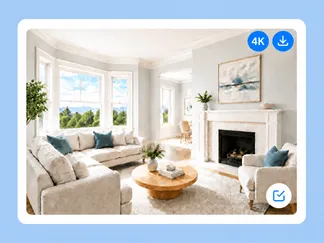
One platform for your property photos
Choose the change your image needs, from furnishing a room to exploring a different exterior.
Furnish empty rooms with realistic furniture and decor, creating inviting listing photos that help buyers imagine living there.
AI Interior DesignTry new styles, color palettes and decor to visualize the room's interior before buying or renovating.
AI Exterior DesignRefresh your house exterior with new facade materials, styles, lighting and seasons to explore its potential before starting renovations.
AI Image EnhancementImprove lighting, colors and clarity, replace skies, remove clutter and correct perspective.
AI Furniture RemovalClear unwanted furniture and clutter from your photos in seconds, leaving empty spaces ready for staging, redesign or property listings.
AI Interior RenovationGive outdated interiors a fresh look with different flooring, wall colors, materials and finishes.
Got questions?
Find answers to common questions about ReimagineHome AI and RoomStaging.
Is ReimagineHome AI free?
ReimagineHome AI offers five free designs for new users, with no credit card required. This lets you test the platform before subscribing. Once you've used your free allowance, you'll need a paid plan to generate more images.
How much does ReimagineHome AI cost?
ReimagineHome AI starts at $19/month for Essential with 30 credits. Pro costs $36/month for 200 credits, Advanced $59/month for 400 credits, and Agency $119/month for 900 credits.
Is RoomStaging cheaper than ReimagineHome AI?
Yes. RoomStaging costs less per generation when comparing the entry-level plans. Both cost $19/month, but RoomStaging Basic includes 100 credits, compared with 30 credits on ReimagineHome Essential. That works out to $0.19 versus approximately $0.63 per generation when you use all included credits.
What is the best ReimagineHome AI alternative?
RoomStaging is a great alternative if you want realistic property photos using a simple process and no prompt writing required. It combines virtual staging, interior and exterior design, renovation, furniture removal, photo enhancement and many more tools.
Do I need to write prompts in RoomStaging?
No. Upload your photo, choose the tool and available preferences, such as room type and style, and generate. RoomStaging handles the design instructions for you, so you can get started without learning prompt writing or working through a chat conversation.
Will RoomStaging change walls, windows or room proportions?
RoomStaging is designed to preserve the original walls, windows, doors and room proportions. Our AI analyzes the space before arranging furniture, helping you visualize a new look within your existing room. Compare the result against your original photo before using it.
Which tool generates more realistic results?
Results depend on the original photo, style and requested changes. RoomStaging focuses on natural furniture placement, realistic lighting and textures, and preserving the room's structure. Compare the same photo in both tools, paying attention to proportions, shadows and architectural details.
Which is faster, ReimagineHome AI or RoomStaging?
RoomStaging typically generates an image in 15–30 seconds. ReimagineHome AI reports about 10 seconds for rendering, plus 15–30 seconds for its design companion to respond. Actual turnaround time depends on server load and revisions, so compare the full process, including preparation and edits.
Can I switch from ReimagineHome AI to RoomStaging easily?
Yes. Create a RoomStaging account, upload your original property photo, choose your preferences and generate. You can start with 3 free credits and no credit card required, making it easy to compare results before subscribing. Cancel your ReimagineHome AI subscription separately if you no longer need it.
Ready to make the switch to RoomStaging?
Join 10,000+ homeowners, designers, agents and developers using RoomStaging.
Try RoomStaging for free- 3 free credits
- No credit card required
- Results in 15–30 seconds