
HomeDesigns AI vs RoomStaging: which AI tool is better for your photos?
Looking for a HomeDesigns AI alternative without add-on packs? RoomStaging includes virtual staging, object removal, interior and exterior design in every plan. Upload a photo and get a photorealistic result in 15–30 seconds.
- No credit card required
- 3 free credits
- 1 credit = 1 generated image
Same photo, two AI tools: see the difference
Compare furniture scale, lighting, materials and the original walls, windows and doors.
Example 1 – Virtual staging for an empty living room
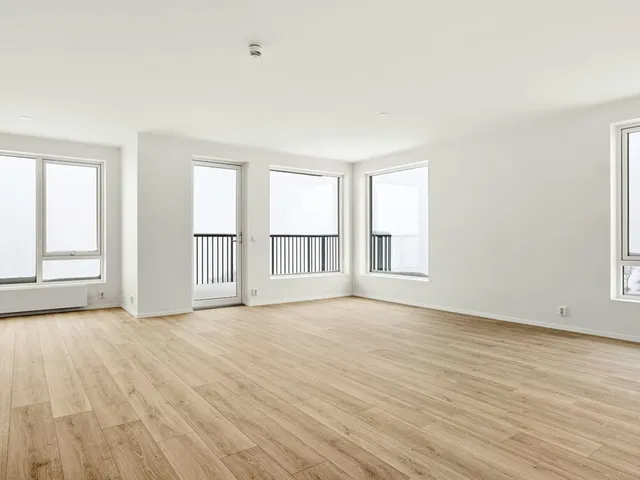
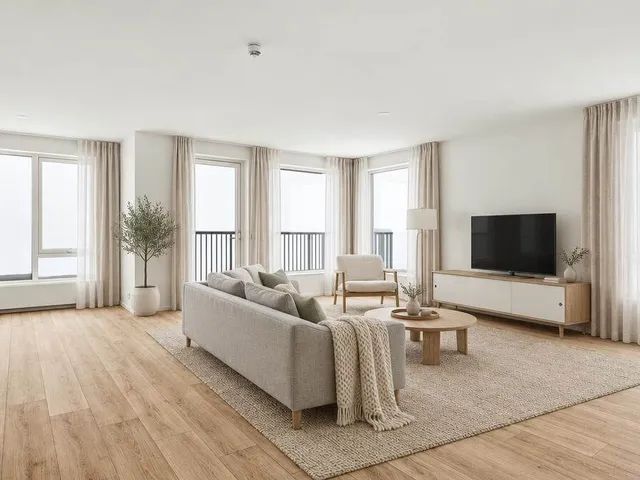
RoomStaging · 25 sec · 1 credit ($0.07)
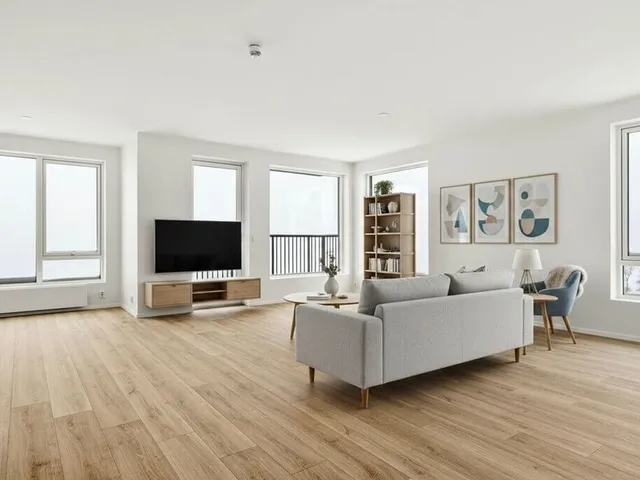
HomeDesigns AI · 32 sec · 1 credit ($0.27)
Example 2 – A new style for a bedroom with a large window
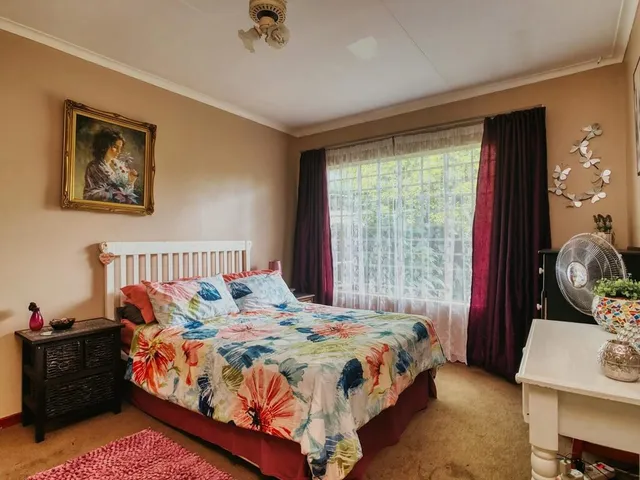
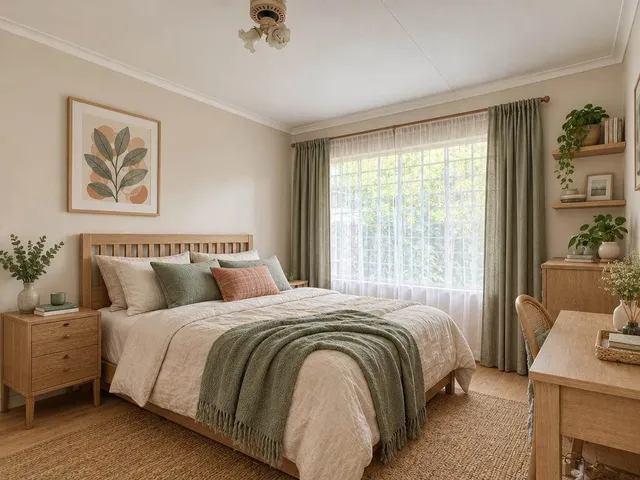
RoomStaging · 28 sec · 1 credit ($0.07)
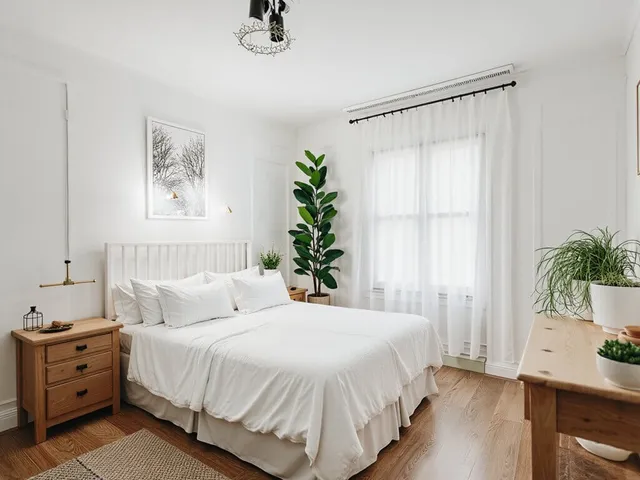
HomeDesigns AI · 31 sec · 1 credit ($0.27)
Example 3 – A new style for a cluttered living room
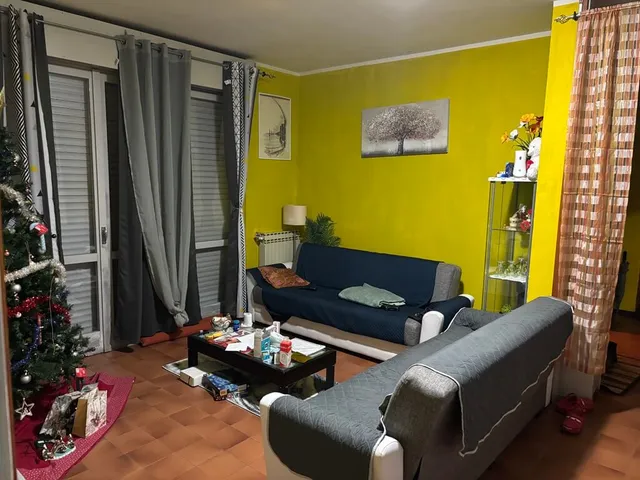
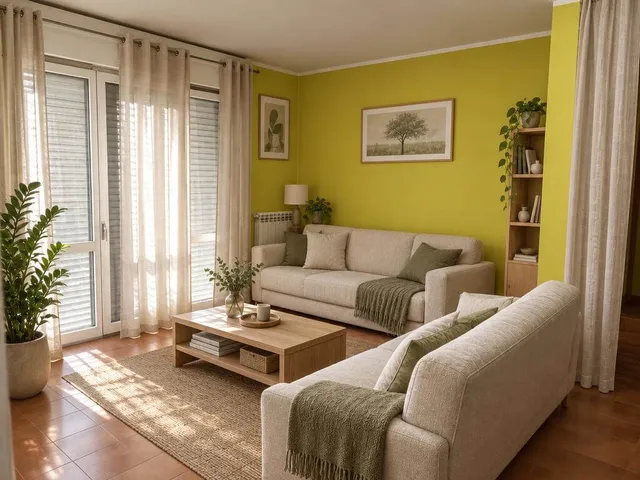
RoomStaging · 24 sec · 1 credit ($0.07)
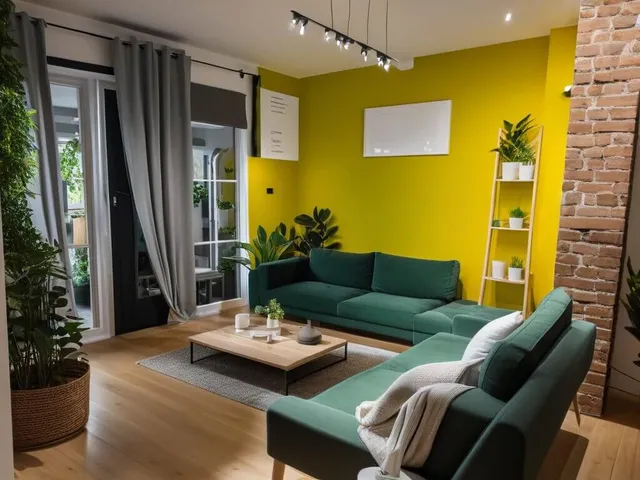
HomeDesigns AI · 30 sec · 1 credit ($0.27)
Strengths and limits of each tool
RoomStaging
- Keeps walls, windows, doors and proportions intact
- Virtual staging and object removal included in every plan
- Edit selected items without buying an extra pack
- Photorealistic results in 15–30 seconds
- 1 credit = 1 image, with premium AI model
- 50+ room types and design styles
- Image enhancement and 2K/4K upscaling on Standard+ plans
- Basic: 100 monthly credits for $19
- 3 free credits, no credit card required
- Unused monthly credits expire
- Fewer design styles
HomeDesigns AI
- 80+ design styles
- Furniture Finder with links to buy similar items
- Renovation cost calculator
- One-time Unlimited add-on for $19 (fair-usage limits apply)
- No free plan
- Virtual staging and furniture removal need the Business add-on
- Precise item editing needs the Premium add-on
- Extra styles and room types are sold separately
- Magic Redesign uses 2 credits per image
- Some users report changed layouts and moved windows
- Less realistic results in our side-by-side tests
- Some users say cancelling requires emailing support
Verdict
HomeDesigns AI suits you if you like testing dozens of styles, want to shop for the furniture you see and don't mind expanding your toolkit from add-ons. RoomStaging is the better choice when the image has to match the real space, for a listing, a renovation plan or a client presentation. Every core tool comes with every plan, each image costs 1 credit, and $19 buys 100 credits. In our side-by-side tests, RoomStaging also kept walls and windows in place more consistently.
RoomStaging vs HomeDesigns AI: feature comparison
Based on our tests on the same photos and publicly listed plans, November 2026.
| Feature | RoomStaging | HomeDesigns AI |
|---|---|---|
| Free trialTest before you pay | 3 free credits, no card | No |
| PriceStarting monthly cost | $19 / 100 credits (or $12/month billed yearly) | $27 / 100 credits |
| Credits per imageHow many credits one result uses | 1 | 1–2 |
| Cost per imagePrice per generated image | $0.19 on Basic, from $0.07 on larger annual plans | $0.27, or $0.54 with Magic Redesign |
| Generation timeHow fast your result is ready | 15–30 seconds | 30 seconds |
| Virtual stagingFurnish empty rooms | Yes, on every plan | Business add-on |
| Furniture and object removalClear furniture and clutter | Yes, on every plan | Business add-on |
| Exterior designA new look for the house | Yes | Yes |
| Landscape designGardens, backyards and patios | Yes | Yes |
| Image enhancementImprove lighting, colors and clarity | Standard plan and above | Only sky color changes |
| Edit specific itemsAdjust details without starting over | Yes, on every plan | Premium add-on |
| Design stylesOptions for different spaces and looks | 50+ room types and styles | 80+ styles |
| Preserves room structureKeeps the original walls, windows and doors | Yes | No |
| Photorealistic qualityResults look natural and realistic | Yes | Less realistic in our tests |
| Multilingual interfaceAvailable in your language | Yes | No |
| Cancel subscriptionHow you stop paying | In your account, 1 click | Via email support |
HomeDesigns AI reviews: what users report
Rated 3.3 out of 5 on Trustpilot (November 2026).
Billing, cancellation and refunds
11 of 16 reviewsCancelling only by email and trouble getting a refund.
Cancel anytime in your account, in one click.
Tools behind extra packs
9 of 16 reviewsKey tools unlock only after buying another add-on, with frequent upgrade offers.
Virtual staging, object removal, interior and exterior design are included in every plan.
Result quality
8 of 16 reviewsResults that don't look realistic or don't follow the request.
Furniture scale, light and materials match your room. See the examples above.
Changed layout
3 of 16 reviewsA changed layout, moved windows or a whole new house instead of a targeted edit.
The AI analyzes the room first and keeps walls, windows and doors.
Why Switch to RoomStaging
All tools in one plan
Virtual staging, object removal, redesign, renovation, exterior and landscape design are part of every RoomStaging plan. No Business or Premium add-on to buy before you furnish an empty room.
New design, same structure
Our AI analyzes the walls, windows, doors, ceiling height and camera angle. The new design fits that frame, so buyers see the property as it really is.
Results that look real
Furniture is sized to the room, shadows follow the existing light, and wood, fabric and stone keep believable textures. It looks like a photo, not a render.
Edit the detail, not the whole image
Swap a sofa, change a wall color or remove a lamp in your generated image. Item editing comes with every plan, with no extra pack to buy.
Simple from the first upload
One subscription, one credit per image and three clear steps. Choose a tool, room type and style, and generate your image.
Start free, no card needed
Test RoomStaging on your own photo with 3 free credits. No payment details and nothing to cancel later. Compare the results, then decide.
How to transform your property photos
From upload to download in three steps, without writing prompts.
Upload your photo
Add a photo of any room, house facade or garden, taken with a phone or a camera.
Choose your preferences
Pick the tool, room type and style. Add extra instructions only if you wish.
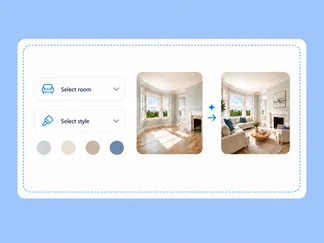
Generate and download
Your high-resolution result is ready in 15–30 seconds.
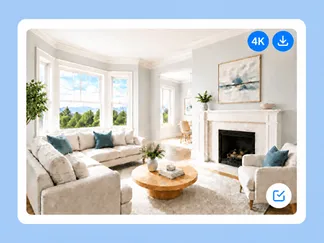
One platform for your property photos
Every core tool comes with your plan. Choose what you need, from furnishing an empty room to designing a new garden.
Furnish empty rooms with realistic furniture and decor. Included in every plan, with no separate add-on.
AI Interior DesignExplore new styles, colors and decor for a furnished room before buying or renovating.
AI Exterior DesignTry new facade materials, colors and styles, at any time of day or season.
AI Landscape DesignDesign a garden, backyard or patio with new plants, paths and lawns.
AI Image EnhancementPROImprove lighting and clarity, replace the sky, turn day to dusk or change the season. Standard and above.
AI Object RemovalRemove furniture, clutter and unwanted objects in seconds. Included in every plan.
Got questions?
Find answers to common questions about HomeDesigns AI and RoomStaging.
Is HomeDesigns AI free?
There's no free plan. RoomStaging gives you 3 free credits with no credit card.
How much does HomeDesigns AI cost?
Individual costs $27/month, Pro costs $29/month and Expert costs $37/month. Most images use 1 credit; Magic Redesign uses 2 credits. Virtual staging, furniture removal and item editing need paid add-ons.
What are HomeDesigns AI add-ons?
They are paid packages that unlock tools beyond Redesign. Business and Business+ add virtual staging, furniture removal, decor staging, materials swap and a paint visualizer. Premium and Premium+ add Precision+ item editing and design advice tools. A one-time Unlimited add-on costs $19; under its fair-usage policy, generation can be paused for 24 hours.
Does HomeDesigns AI change walls, windows or room layout?
Yes. The service promotes Structure-Lock to keep walls, windows and layout unchanged, but in our tests, the layout changed and windows were moved. RoomStaging analyzes the room before designing and keeps its structure on every plan. See the examples above.
Which generates more realistic results: HomeDesigns AI or RoomStaging?
In our side-by-side tests, RoomStaging produced more realistic furniture scale, lighting and textures. Results vary by photo, so try the same photo in both tools.
Is RoomStaging cheaper than HomeDesigns AI?
Yes. RoomStaging Basic gives you 100 credits for $19/month ($0.19 per image), and from $0.07 on larger annual plans. HomeDesigns AI starts at $27/month for 100 credits ($0.27 per credit), Magic Redesign uses 2 credits, and virtual staging needs an add-on.
How do I cancel a HomeDesigns AI subscription?
According to user reviews, you cancel by emailing their support team, not in your account. Ask for written confirmation. In RoomStaging, you cancel in your account settings in one click.
What is the best HomeDesigns AI alternative?
If you're searching for a Home Designs AI replacement, RoomStaging offers realistic property photos with every core tool in one plan: virtual staging, interior design, exterior design, landscape design, renovation and object removal.
Can I switch from HomeDesigns AI to RoomStaging easily?
Yes. Create a RoomStaging account, upload the same photo you used before, choose a tool and style, and generate. You start with 3 free credits and no credit card. Cancel your HomeDesigns AI subscription separately.
Ready to make the switch to RoomStaging?
Join 10,000+ homeowners, designers, agents and developers using RoomStaging. Start with your own photo today.
Try RoomStaging for free- 3 free credits
- No credit card required
- Results in 15–30 seconds