
Best AI Bathroom Design Apps: 10 Picks for 2026

AI bathroom design apps help you compare tile, vanities, lighting, and layouts before renovating. The right choice depends on whether you need a quick photo preview or an editable plan.
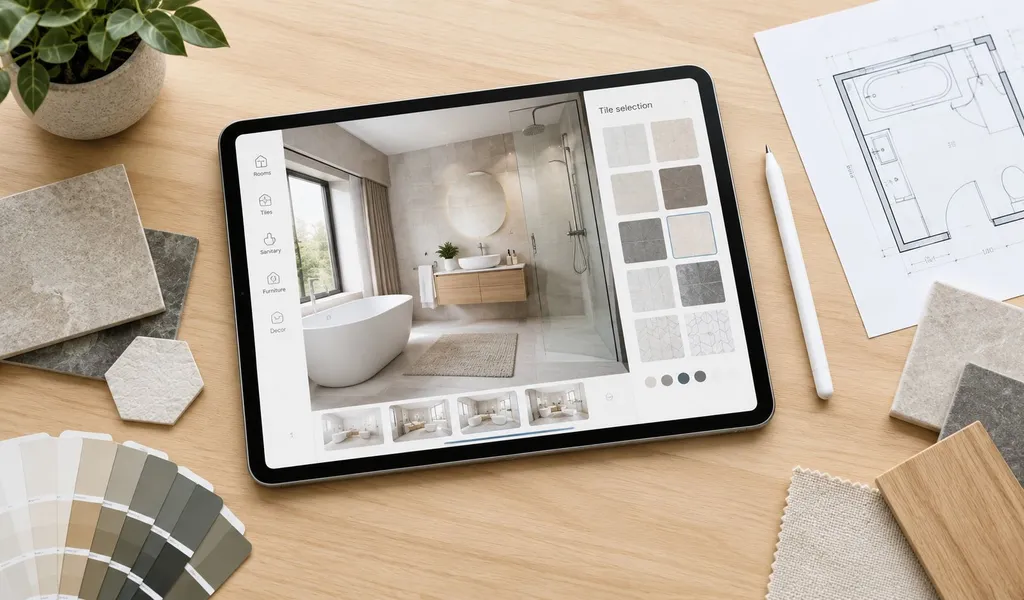
This comparison of the best AI bathroom design apps covers RoomStaging, Remodel AI, REimagineHome, Homestyler, Planner 5D, RoomGPT, Interior AI, HomeDesigns AI, ArchiVinci, and ReRoom AI, judging them by bathroom fit, realism, control, pricing clarity, free access or trials, export options, and renovation limits.
The comparison uses providers' published features and pricing, checked in 2026. Treat image-generation tools as visual references, not construction documents. For a serious project, compare how well an app preserves geometry, how easily you can test finishes, whether the result can become an editable plan, and how clearly the provider explains credits, exports, and commercial use.
Table of Contents
- 1. RoomStaging
- 2. Remodel AI
- 3. REimagineHome
- 4. Homestyler
- 5. Planner 5D
- 6. RoomGPT
- 7. Interior AI
- 8. HomeDesigns AI
- 9. ArchiVinci
- 10. ReRoom AI
- Top 10 AI Bathroom Design Apps, Feature Comparison
- Choose the Right AI Bathroom Design Tool
1. RoomStaging
RoomStaging is the strongest starting point when the decision is, “What could this actual bathroom look like after renovation?” Upload a room photograph, select a direction, and generate a photorealistic renovation concept. The product describes typical generation times of 15 to 30 seconds on its AI Interior Renovation page, making it practical for homeowners, agents, designers, and developers who need several visual options quickly.
Its main advantage is geometry preservation. The workflow is designed to retain doors, windows, proportions, passageways, and the photographed room's architectural character while changing flooring, wall finishes, fixtures, hardware, lighting, and materials. That distinction matters in bathrooms, where a beautiful render becomes misleading if the vanity, shower, toilet, or circulation suddenly moves.
Why it suits real renovation decisions
RoomStaging supports regeneration and edits to selected items, so users can compare a modern bathroom with warmer wood, darker hardware, alternative tile, or different lighting without starting from an unrelated room. Paid plans include watermark-free, high-resolution exports and commercial-use licensing, which makes the tool relevant beyond personal inspiration. Real estate professionals can use renovation concepts in listings or client presentations, while designers can use them to communicate early directions before detailed drawings.
The workflow is intentionally simple: upload the photograph, choose from 50+ styles, and download a result; no prompt writing is required. New users receive 3 free credits with no credit card required. Basic costs $19/month for 100 credits, or $12/month billed as $144/year. Each generation or regeneration uses one credit. The advertised price of roughly $0.07 per image applies to higher-volume annual plans, not the entry monthly plan. Unused monthly credits do not roll over.
Photo enhancement and 2K upscaling start with Standard; 4K requires Professional or Enterprise. Upscaling costs an additional 3 credits for 2K or 5 credits for 4K. Enterprise users can also access API functionality, while account storage keeps generated images available for later comparison.
Practical rule: Use RoomStaging to compare finishes and communicate intent, but verify every dimension, fixture clearance, plumbing position, and accessibility requirement separately.
The weakness is shared by every image-first tool. Output quality depends on the source photograph, and poor lighting, extreme perspective, or low resolution can reduce realism. RoomStaging is a visualization system, not an engineering or permit-drawing platform. For a fast, realistic bathroom “after” image that keeps the existing room recognizable, it is the featured pick.
2. Remodel AI
Remodel AI is a strong option for users who want a broad redesign studio rather than a bathroom-only application. It presents a photo-based workflow for changing room styles, finishes, fixtures, paint, flooring, and staging concepts while retaining the underlying room.
The practical appeal is breadth. A homeowner can use the same environment to explore a bathroom, refresh a living room, remove objects, stage an empty property, or consider an exterior direction. That makes it useful for property professionals and builders working across an entire listing or development rather than one isolated room.
Where it fits best
For bathrooms, Remodel AI is most useful when the user wants fast visual comparisons of tile, paint, vanity style, fixtures, and general atmosphere. It can support a conversation such as, “Keep the layout, but show a lighter floor, warmer wall finish, and brushed-metal hardware.” That is more actionable than a generic mood board because the concept starts from the actual room.
The trade-off is pricing and workflow complexity. Both the app and browser Studio offer 3 free designs with no card required, but their paid offers differ. The main app lists Pro at $29/month for 1,000 designs, with HD downloads and no watermark; its FAQ lists commercial licensing on Premium and Ultra. The browser Studio starts at $19.99/month for 200 credits, or $9.99 for 30 one-time credits. Studio uses one credit for a Basic image and four for a Pro image, and its paid plans include commercial use. The tool is best judged by running the same bathroom photograph through several directions, then checking whether doors, windows, wet areas, and fixtures remain credible.
Remodel AI is a sensible choice for a homeowner who wants one broad web studio for redesign and staging. The browser Studio also offers floor-plan generation and CAD export on paid plans, but moving walls and testing precise clearances still require measured verification.
3. REimagineHome
REimagineHome is designed for approachable, photo-based interior and exterior concepts, including bathroom restyles. It lets users explore finishes, vanities, colors, and broader room directions from a real photograph. Mobile-browser access also makes it convenient for homeowners or professionals working at a property.
The most useful distinction is its connection between visual inspiration and shopping research. On Pro and higher plans, generated concepts can be paired with product or similar-item links, helping users move from “I like this vanity” toward “What might this direction cost and where can I find something similar?” That doesn't turn the image into a specification, but it can make early budgeting more concrete.
Best for low-friction exploration
REimagineHome suits homeowners who don't want to learn a complex planner. A single image can produce multiple style directions, and the interface is better aligned with early inspiration than technical documentation. It can also help a designer show a client how a bathroom might feel with different materials before the team selects actual products.
New accounts receive 5 free designs with no card required. Essential costs $19/month for 30 credits and uses legacy tools; Pro costs $36/month for 200 credits, adding conversational editing, reference images, and product discovery. A standard visualization uses one credit; a product-discovery-and-visualization bundle uses two. The trial previews Pro features, so Essential does not retain every trial capability. The comparison page for REimagineHome and related room redesign tools is useful for positioning it against image-first alternatives.
The limitation is fundamental. A linked product is not proof that the rendered item will fit, match, or remain available. REimagineHome is a good concept and sourcing aid, but it shouldn't replace measured drawings, product specifications, or professional review.
4. Homestyler
Homestyler occupies an important middle ground among the best AI bathroom redesign apps. It combines AI-assisted concepts with a more traditional editable 2D and 3D environment. It is therefore more relevant to users who want to build and edit a room model after exploring an initial direction; an AI concept image is not itself an editable plan.
A photo-based redesign is useful for style discovery, but it can't reliably answer whether a different vanity fits beside the door or whether a new shower arrangement leaves enough circulation. Homestyler's value is that users can move from inspiration into a model, add objects from a library, adjust the room, and view the result in three dimensions.
The bridge between image and plan
Its AI Planner, AI Stager, and AI Studio tools address different parts of the workflow. AI features help produce a quick concept, while the editable planner provides more control over placement, materials, and presentation. That makes Homestyler attractive to homeowners who want to experiment and to professionals who need a model they can keep refining.
Basic is free, with unlimited 1K renders and 100,000+ models and materials. Pro is advertised from $4.90/month, with introductory discounts; check the renewal price. It includes 75 renders each at 2K and 4K and 100 AI credits per month. AI credits are separate from the free planner’s rendering allowance. The cost is complexity: AI credits, subscription tiers, cloud rendering, and advanced features can make the pricing harder to understand than a simple pay-per-image service. There's also a learning curve once users move beyond a quick render. The platform is more demanding than a one-click redesign app, but that effort buys greater control.
For a broader overview of free and accessible AI interior tools, see this comparison of AI interior design apps. Choose Homestyler when the decision concerns both appearance and spatial arrangement, not just the color of the walls.
5. Planner 5D
Planner 5D is the better fit when bathroom layout matters more than instant visual transformation. Its AI bathroom planning platform supports fixture placement, space planning, finish comparisons, and a path from AI suggestions into editable 2D and 3D plans.
That changes the question being answered. A photo generator asks, “What might this room look like?” Planner 5D can help investigate, “Can these fixtures fit in this arrangement, and what does the room look like from several views?” Users still need accurate measurements and professional verification, but the editable model is more useful for layout discussions than a single photorealistic image.
Choose it for spatial control
Planner 5D can be useful when a homeowner is considering a different vanity position, shower configuration, or circulation route. Professional supports 4K renders, 360-degree walkthroughs, and CAD export. Those outputs are more relevant to design presentations and professional workflows than a quick mobile concept.
The ongoing Free plan includes 2D and 3D planning and half the furniture catalog. Premium costs $19.99/month or $59.99/year, adding the full catalog, AI floor-plan recognition, and standard renders. Professional costs $49.99/month or $399.99/year. Paid-plan trial eligibility and terms depend on the checkout offer.
The trade-off is speed. A pure image-to-image app can create a mood shift almost immediately, while an editable planner asks the user to construct or refine the space. That makes Planner 5D less convenient for rapid style browsing, but stronger when the layout itself is under discussion.
It still isn't a code-compliance engine. Treat clearances and accessibility as items to verify against local requirements and professional advice, not as conclusions generated by the software.
6. RoomGPT
RoomGPT is a lightweight choice for fast, style-led bathroom concepts. It works from a photograph and suits users who want to test broad looks without building a room from scratch.
The pricing model is unusually relevant for a one-off renovation. New users receive one free credit with no card required. Paid access starts at $9 for 30 credits, purchased once rather than through a subscription. Generations cost one, two, or four credits per image, depending on the AI model. A higher-cost model therefore reduces the number of concepts available from the same balance. Purchased credits do not expire.
Good for the first visual answer
RoomGPT is useful when the user needs a quick reaction to a style direction, such as modern or minimalist. It can help an agent show a dated bathroom's potential or help a homeowner decide whether a darker palette is worth exploring.
It isn't the right tool for moving plumbing, testing exact clearances, or creating an editable floor plan. It focuses on photo-based restyling, and generated images can still alter structural details. Check how many credits the selected model consumes before generating repeated variations.
For a single bathroom project, the one-time credit model can be easier to understand than a recurring subscription. Just compare several outputs carefully, because speed and style variety don't prove that fixtures, glass, tile lines, or proportions are physically accurate.
7. Interior AI
Interior AI is one of the more established photo-to-photo redesign and virtual staging services. It supports bathroom concepts alongside other room types, making it useful for quick inspiration, staging experiments, and early client presentations.
The workflow is simple. Upload a room image, select a direction, and assess the result. Designers and property professionals can use it to create an initial visual before a more detailed design process begins. Mobile access also supports quick work during property visits or client discussions.
A useful first-pass tool
Interior AI is strongest when the objective is to explore look and feel. It can help compare a clean contemporary bathroom with a warmer, more traditional direction, or provide a visual reference before a contractor meeting. Higher-volume plans are more relevant to professionals who create many concepts rather than a homeowner making one decision.
The limitation is control. The output remains a visual concept, not a construction-ready specification. Users should independently verify tile dimensions, fixture models, mirror sizes, shower details, and electrical or plumbing implications. Pro costs $49/month for 1,000 designs using the lower-quality Flux model, with commercial use included. Premium costs $99/month for 5,000 designs, adding the Hyper Realism model, image editing, virtual staging, and upscaling. There is no ongoing free plan advertised, so this is a paid option rather than a freemium recommendation.
Interior AI belongs on a shortlist for fast style exploration, but it isn't the best choice when editable 2D or 3D planning is the central requirement.
8. HomeDesigns AI
HomeDesigns AI is a broader home visualization platform that can also be used for bathroom redesign concepts. Through its website, users can generate room makeovers, test styles, and explore finish directions from uploaded photos.
Its main appeal is convenience. A homeowner can experiment with bathroom looks without learning a full planning suite, while a property marketer can use the same tool across multiple rooms. For bathroom use, it is most helpful for comparing surface-level changes such as tile mood, color palette, vanity style, mirror selection, and lighting feel.
Best for broad home visualization
HomeDesigns AI makes sense for users who want a general-purpose AI home design tool rather than a bathroom-only workflow. It can quickly produce multiple design directions, which helps narrow down preferences before moving into product selection or professional planning.
The trade-off is the same one seen in other image-first tools. It is useful for inspiration and communication, but not for validating dimensions, plumbing moves, or code-related layout decisions. Its 7-day trial requires payment details and automatically renews at $37/month for Expert unless canceled. Expert includes 2,000 designs per month and a commercial license. The Premium+ and Business+ add-ons included during the trial switch off afterward unless purchased separately; advanced editing and 4K upscaling are among the Premium+ features.
9. ArchiVinci
ArchiVinci is an option for users who want AI-assisted architectural visualization with a more professional angle. It turns photos, sketches, and screenshots of 3D models into renders, with workflows that also extend to bathroom concepts.
For a bathroom project, ArchiVinci is most relevant when presentation quality matters. A designer or architect can use it to create polished concept imagery, compare finish directions, and communicate a proposed look more clearly to clients or stakeholders.
Stronger for presentation workflows
ArchiVinci is particularly useful for creating refined visuals from existing design inputs that support professional communication. That makes it a better fit for studios, freelancers, or property professionals who care about visual output quality and design presentation.
New users receive 3 free, watermark-free renders, including commercial use. The monthly subscription is $79/month, with unlimited renders using the ArchiVinci engine and 40 coins for other models; those models and video tools have separate coin costs. Its outputs are images, not editable 3D models.
Like other concept-first tools, it should not be treated as a substitute for technical drawings or verified measurements. Use it to accelerate visualization, then confirm every dimension, clearance, and specification in the proper planning workflow.
10. ReRoom AI
ReRoom AI is a useful option for fast interior restyling concepts, including bathroom redesign ideas. Users can upload a room image or a screenshot of a 3D model and generate alternate looks to explore materials, fixtures, and overall mood.
Its appeal is speed and accessibility. A homeowner can test a few bathroom directions quickly, while a designer can use it for early-stage conversations before committing to a detailed concept package.
Useful for quick bathroom restyles
ReRoom AI works best when the question is, “What direction should we explore next?” It can help compare a bright spa-like bathroom with a darker modern scheme, or generate an initial concept to react to in a meeting.
Its limits are similar to other lightweight redesign tools. It is not the right platform for precise layout testing, construction documentation, or accessibility verification. Free access provides 3 renders per day, at standard quality with a watermark and for non-commercial use. Pro costs $39/month and lists unlimited renders, commercial rights, watermark-free downloads, 4× upscaling, and prompt-based customization.
Top 10 AI Bathroom Design Apps, Feature Comparison
Prices below are in USD and use monthly billing unless stated otherwise. App-store and local offers may differ.
| Tool | Best for | Free access | Paid access |
|---|---|---|---|
| RoomStaging | Redesign, virtual staging, and whole-property concepts | 3 credits; no card | Basic: $19/month for 100 credits; 1 credit per image |
| Remodel AI | Photo redesign, staging, and whole-property concepts | 3 designs; no card | Web Studio: $19.99/month for 200 credits |
| REimagineHome | Photo concepts with product discovery on Pro | 5 designs; no card | Essential: $19/month for 30 credits; Pro: $36/month for 200 |
| Homestyler | Editable 3D rooms and rendering | Basic planner; unlimited 1K renders | Pro: from $4.90/month; introductory rate |
| Planner 5D | Measured 2D and 3D layout planning | Ongoing free planner; limited catalog | Premium: $19.99/month; Professional: $49.99/month |
| RoomGPT | Simple style ideas without a subscription | 1 credit; no card | $9 for 30 credits once; 1, 2, or 4 credits per image |
| Interior AI | High-volume concepts and paid staging workflows | No ongoing free plan advertised | Pro: $49/month for 1,000 designs; Premium: $99/month for 5,000 |
| HomeDesigns AI | Whole-home concepts and material experiments | 7-day trial; payment details required | Expert: $37/month for 2,000 designs; some tools need add-ons |
| ArchiVinci | Renders from photos, sketches, and 3D-model screenshots | 3 watermark-free renders; commercial use | $79/month; unlimited ArchiVinci renders plus 40 model coins |
| ReRoom AI | Interior concepts and renders from model screenshots | 3 renders/day; watermark; non-commercial | Pro: $39/month; unlimited renders |
Choose the Right AI Bathroom Design Tool
There isn't one universal winner among the best AI bathroom design apps because the tools answer different renovation questions.
RoomStaging is our top overall pick for photo-based bathroom renovation concepts. Its simple workflow, 50+ styles, targeted edits, and focus on preserving the original room make it a practical starting point. Its $19/month entry plan includes watermark-free downloads and commercial use, at a lower starting monthly price than Interior AI. Remodel AI is another broad option for testing finishes, communicating a renovation direction, or preparing a property presentation.
Choose REimagineHome or ReRoom AI for accessible homeowner concepts. They're useful when the user wants a low-friction first look, broad style exploration, or a starting point for discussing products and finishes. Choose RoomGPT or Interior AI when quick photo-based style exploration matter more than layout editing. RoomGPT is especially relevant for a one-off project because its credit model includes one free credit and a $9 one-time pack of 30 credits, with each image costing one, two, or four credits depending on the selected model.
Choose RoomStaging or ArchiVinci when presentation quality and professional visualization matter most. Choose Homestyler or Planner 5D when the key decision involves an editable 2D or 3D plan, fixture placement, circulation, or a possible layout change. HomeDesigns AI makes more sense when bathroom visualization is part of a broader whole-home inspiration workflow.
Before paying, verify the current plan price, free credits, trial conditions, generation cost, export resolution, watermark policy, and commercial-use terms. These details can change, and a low headline price may provide fewer usable renders if advanced models consume more credits.
Use a disciplined workflow. Photograph the bathroom straight on in good light, keep measurements in a separate document, test several styles, compare fixtures and finishes one decision at a time, and save the strongest concepts side by side. Then confirm every proposed change with a designer, contractor, occupational therapist where accessibility is relevant, and the applicable building requirements before construction.
RoomStaging turns a single property photo into a photorealistic renovation concept, with geometry-aware redesign, rapid regeneration, and tools for virtual staging, object removal, and interior renovation. Visit RoomStaging to test bathroom directions before you commit to tile, fixtures, or construction work.