
How High to Mount TV: A Practical Height Guide

Most articles on how high to mount TV make the same mistake, they hand you one magic number and pretend every room is identical. That's bad advice. A TV in a flat, centered living room, a TV over a fireplace, and a TV in a bedroom all ask for different heights because the viewer's posture is different in each one.
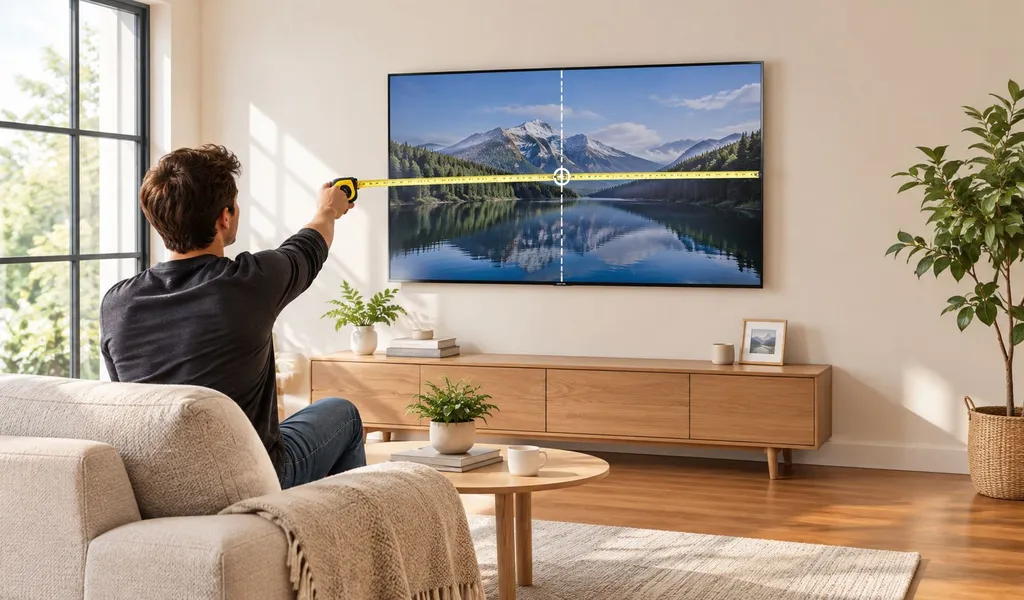
The better rule is simpler and more useful, start with seated eye height, then adjust for screen size, viewing distance, and any room-specific exception. That's the difference between a mount that disappears into the room and one that leaves you rubbing your neck halfway through a movie. The goal isn't to hit a universal number, it's to keep your head in a neutral, comfortable position.
Table of Contents
- Why a Single TV Mounting Number Never Works
- Measure Your Seated Eye Height First
- Adjust the Center Height for Distance and Screen Size
- Special Cases That Change the Rule
- Mounting and Safety Checklist Before You Drill
- Preview the Height With a Mockup and AI Tools
- Quick Decision Framework and Final Checklist
Why a Single TV Mounting Number Never Works
The internet loves the 42-inch rule, but a fixed number only works when the seat, the screen, and the room all happen to line up. In real homes, they usually don't. The center of the screen should match seated eye height in a normal living-room setup, and that's why guidance from consumer sources keeps coming back to eye-level centering rather than a universal wall measurement, with practical ranges and room-dependent adjustments instead of one hard answer. Wirecutter's mounting guidance makes that ergonomic point clearly, and KEF's height calculator takes the same idea further by adjusting for distance and screen size.
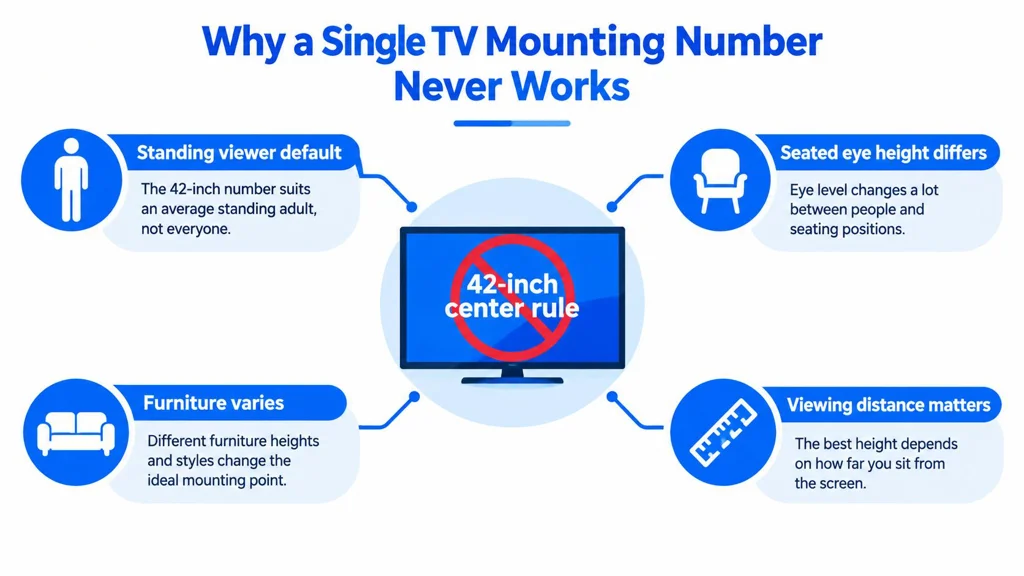
A fixed mount height ignores five things that matter on site. Seated eye height changes from person to person, screen size changes the viewing arc, viewing distance changes the angle, cushion depth changes posture, and a console or fireplace changes the available wall space.
Practical rule: if you choose the wall first and the viewer second, you usually mount too high.
A 65-inch set centered at a wall number can look fine on paper and still feel wrong on a real sofa. That's exactly how you end up with the dreaded TV neck, the upward tilt that turns a relaxed watch session into a long, uncomfortable stare. The smarter approach is to treat how high to mount TV as a room-specific decision, not a decorating preference.
For a visual staging comparison of why the same screen can feel right in one room and wrong in another, see this layout example.
Measure Your Seated Eye Height First
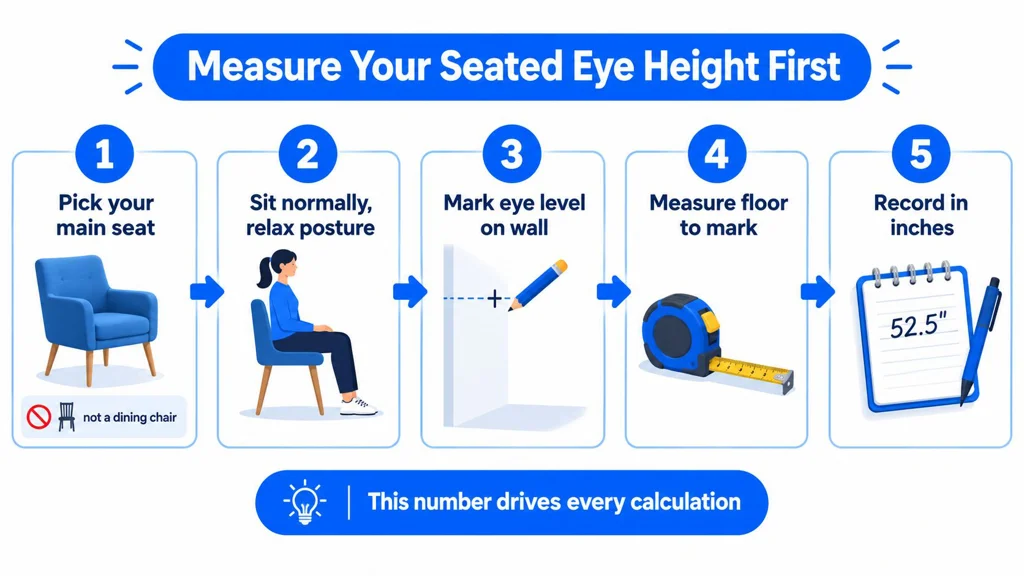
The first measurement that matters is the one frequently skipped. Don't measure from the floor to the top of your head, and don't guess from a standing position. Sit in the actual seat you use, with your back supported and your feet flat, then have someone measure from the floor to the center of your eye.
Use the seat you actually watch from
If the room uses a sofa, measure on the sofa. If it's a recliner, use the recliner. A dining chair or a stool will give you the wrong answer because it changes the viewer's pelvis height, back angle, and eye line.
Write that number down as seated eye height. In a straight-on living-room setup, that number becomes your baseline center height for the TV, because the screen center and the eye line should meet on the same horizontal plane. That keeps the neck neutral instead of forcing a tilt upward.
A good working example is a 5'10" adult seated on a standard sofa with an 18-inch-deep cushion at 17 inches off the floor. That person often lands around 42 to 43 inches of seated eye height, which is why the old shorthand survives in the first place. It's not magic, it's just a common sofa geometry.
Measure the eye, not the head. That one mistake skews the whole installation.
The other error is forgetting that softer, deeper seating lowers the eye line while thicker cushions raise it. A plush sectional can drop the measurement more than a firm chair, and that difference is enough to make a TV feel too high if you ignore it. Once you have the seated eye height, you've got the only number that really matters before you start adjusting for the rest of the room.
Adjust the Center Height for Distance and Screen Size
Once the eye-height baseline is set, distance and screen size decide how far you can drift without making the picture feel awkward. A useful check is the viewing-distance range of about 1.5 to 2.5 times the screen diagonal, and KEF's formula-style method uses eye level + (viewing distance × 0.22) to estimate screen-center height when the seat is farther back. KEF's TV height calculator gives the clearest example of that approach.
Compare the center height, not just the wall
A 55-inch TV at 7 feet doesn't need the same treatment as a 75-inch set at 10 feet. The larger screen has a taller vertical field, and when the seat pulls back, the center can sit a little higher without feeling like you're looking up into a scoreboard. That's why the “eye level only” rule softens as screen size and distance increase.
| Center-Height Adjustment by Screen Size and Viewing Distance | Viewing Distance 6 ft | Viewing Distance 8 ft | Viewing Distance 10 ft |
|---|---|---|---|
| Smaller screen, closer seat | Baseline or slightly below eye height | Near eye height | Slightly above eye height |
| Medium screen, typical sofa | Near eye height | Slightly above eye height | Higher than eye height may still feel comfortable |
| Large screen, deep room | Slightly above eye height | Above eye height | Most forgiving toward a higher center |
A practical rule of thumb is to let the center drift upward a little as the screen grows, but don't chase the wall space. If the center ends up more than 6 inches above eye level, a downward tilt helps keep the screen plane facing the viewer instead of the ceiling. A tilt of 5 to 8 degrees is usually enough to restore comfort without making the mount look odd.
When the choice is between two heights and both seem plausible, I'd still go lower. Looking down is easier on the neck than looking up, and a TV that feels a touch low is usually easier to live with than one that feels proud of the wall.
Special Cases That Change the Rule
Some rooms don't follow the living-room pattern, and that's where bad advice falls apart. A bedroom, a fireplace wall, a bar-height nook, and a multi-row theater all change the viewer's posture, which changes the height target. Consumer guidance also reflects that reality, with one standard saying the bottom of the screen should be no higher than seated eye level and the top no higher than standing eye level, while Philips adds a practical ceiling that the top edge should be no more than 15 cm above seated eye level when perfect alignment isn't possible.
Match the room to the viewer posture
| Room Scenario | Typical Viewer Position | Recommended Center Height | Suggested Tilt |
|---|---|---|---|
| Standard living room | Upright on sofa | At seated eye height | None or minimal |
| Reclined bedroom setup | Pillow-propped, slightly reclined | A few inches higher than seated eye height | Downward tilt |
| Multi-row home theater | Rows staggered, middle row as reference | Middle row eye height | Optional tilt if upper row dominates |
| Above fireplace | Higher wall, mantel below | Higher than living-room baseline | Downward tilt is essential |
| Bar-height or standing area | Elevated or standing viewers | Substantially higher than sofa height | Depends on line of sight |
Above a fireplace, the wall often forces the screen higher than ideal. The fix is to use a tilting mount so the viewer's line of sight still meets the screen comfortably, instead of making the center of the TV do all the work. For fireplace clearance and heat management, the safe spacing depends on the fireplace type and mantel shape, and the details matter more than a decorative photo on the internet.
Bedrooms are different again. When someone watches from bed, the body is reclined, so a slightly higher center can feel more natural than a living-room mount. The same goes for kitchen nooks and standing zones, where the viewer's eye line is much higher than a couch measurement.
Mounting and Safety Checklist Before You Drill
A good height means nothing if the install fails. Before you drill, check the wall type, find the studs, and match the bracket to the TV's VESA pattern and weight. Drywall alone is not the answer, and a mount that looks solid still needs a proper rating check.
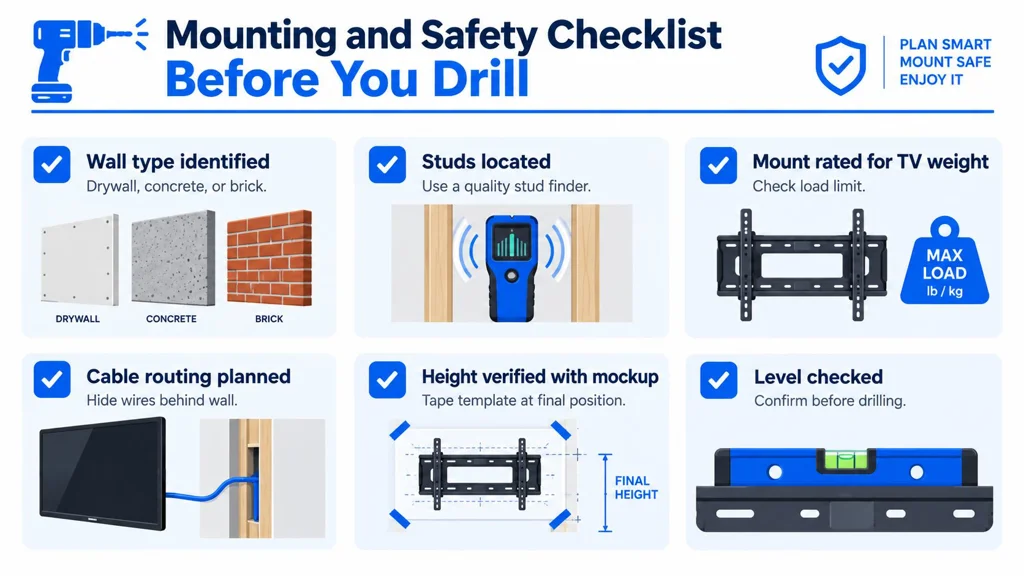
The pre-drill checks that save you a rehang
- Wall type identified: Drywall, concrete, brick, and metal studs all call for different fasteners.
- Studs located: Mark both edges with a quality stud finder so the lag bolts land in real structure.
- Mount rated for TV weight: Leave margin, especially on a full-motion arm.
- Cable routing planned: Decide on HDMI, power, and ethernet before the bracket goes up.
- Height verified with a mockup: Confirm the sightline from the actual seat before drilling, detailed in the next section.
- Level checked: Check it twice before drilling, then again before tightening the final bolts.
For fireplace installs, heat clearance comes first. Use the mantel as part of the heat-deflection plan, not just decoration, and if the wall around the TV is part of the bigger room update, see RoomStaging's interior renovation preview for how material and finish changes read before you commit. Route cables with in-wall rated materials or a code-compliant power solution, and do not leave a dangling wire path as an afterthought. If the mount tilts or articulates, test the movement before the TV is fully locked in.
Installer's habit: if the mockup looks wrong from the sofa, it is wrong on the wall.
One more thing. Make sure the mount's load rating exceeds the TV's actual weight by a healthy margin, and use the right anchors for the wall type. A clean install is one you do once.
Preview the Height With a Mockup and AI Tools
The cheapest mistake is the one you catch before drilling. A cardboard mockup, painter's tape, or a paper template lets you stand back, sit down, and judge the sightline in your living room. Many realize fast that their first guess was a little high.
Test the wall before the bracket goes up
Tape the outline of the screen on the wall, then mark the proposed center height. Sit in the main seat, look at where your eyes land, and check for glare from windows or lamps. If the room has a second seat or a recliner, try that too, because the first test often only tells you half the story.
A digital pass helps when you want to compare options quickly. RoomStaging's AI interior design explanation shows how photo-based redesign can help you preview a wall layout before you commit, and the same kind of visual mockup is useful for TV placement too. Upload the wall, place the screen at the likely height, then nudge it until the sightline feels right.
The best workflow is simple. Use the cardboard mockup for realism, then use the visual render for fast what-if comparisons. If both agree, you're probably close enough to drill with confidence.
Quick Decision Framework and Final Checklist
The old “42-inch” shortcut gets replaced by four inputs: seated eye height, viewing distance, screen size, and room exception. Eye height sets the baseline, distance and size adjust the center slightly, and special rooms like bedrooms or fireplace walls apply the override. KEF's formula approach fits neatly into that logic, because it treats the seat and the room as the starting point instead of the wall itself.
Use this in order
- Measure seated eye height.
- Confirm viewing distance.
- Identify the room type.
- Compute the center height.
- Verify stud framing and mount rating.
- Tape a mockup at the final height.
- Mount only after the sightline feels right.
If the room is a standard living room, aim the center at seated eye height. If the screen is larger or the seat is farther back, let the center rise a little and use tilt when needed. If the TV lives above a fireplace or in a bedroom, let posture and heat clearance drive the decision, not wall symmetry.
The answer to how high to mount TV isn't a number, it's a repeatable process. Use the viewer's body first, then the screen, then the room. That's how you end up with a mount that looks right and feels right every time.
If you want to test TV placement visually before you drill, RoomStaging can help you preview the wall, compare mount heights, and see how the screen reads in the actual room. Visit RoomStaging and use it to sanity-check the height before you commit to the brackets and lag bolts.